

































 25 Min

AI app development is no longer a futuristic concept—it’s here now, transforming how mobile apps are built and experienced.
In 2025, integrating machine learning into your mobile app can be a game-changer for user engagement, personalization, and even cost savings.
In fact, 83% of companies say AI is now a top priority in their business plans, reflecting a widespread belief that smart apps will outperform their traditional counterparts.
Whether it’s a friendly chatbot answering customer questions or a recommendation engine curating content for each user, AI and LLM (Large Language Model) capabilities can enhance apps in powerful ways. Tech-savvy enterprises and startups alike are racing to add features like ChatGPT-powered assistants and AI-driven analytics to their apps—and those that do so effectively are reaping significant rewards.
Integrating AI/ML isn’t just about adding flashy tech for its own sake. It’s about solving real business problems and delighting users.
By 2025, Gartner predicts 70% of customer interactions will involve AI technologies, which means users will increasingly expect their apps to be “smart”—responsive, personalized, and available 24/7.
Below, we explore the key ways AI and machine learning can be integrated into mobile apps to enhance functionality and user experience.
From intelligent chatbots and voice assistants to personalization engines and predictive analytics, these forward-looking capabilities illustrate what’s possible when you infuse your app with AI. (And as a company with deep expertise in AI and LLM integration, Chop Dawg has been helping clients embrace these very possibilities—more on that later.)
1. AI-Powered Chatbots and Virtual Assistants
One of the most popular applications of AI in mobile apps is the chatbot or virtual assistant—a conversational interface that can chat with users, answer questions, and perform tasks. Integrating a chatbot (often powered by LLMs like OpenAI’s GPT-5 or Anthropic’s Claude) into your app can dramatically improve customer service and user engagement.
Instead of combing through menus or waiting on hold for support, users can get instant, human-like responses from an in-app AI assistant at any time. This 24/7 availability is a huge plus—a study by Juniper Research estimates companies will save $8 billion annually by the end of 2025 by deploying AI chatbots for customer support, thanks to reduced workload on human agents and faster issue resolution.
Users appreciate quick help: an Accenture report found that always-on AI assistance led to a 30–50% increase in customer satisfaction due to faster response times and round-the-clock service.
Modern AI chatbots go beyond scripted Q&A—they can understand natural language, maintain context, and handle a wide range of queries. Banking apps use chatbots to let customers check balances, transfer funds, or get financial advice conversationally. E-commerce apps deploy virtual shopping assistants that help users find products or track orders via chat.
These AI assistants don’t just save money; they can also boost engagement by making the app feel more interactive and “alive.” By 2025, 70% of all customer interactions will be handled by AI (from chat interfaces to voice). Users are getting comfortable with AI-driven conversations—many may not even realize when they’re chatting with a bot.
A recent survey noted that 48% of customers couldn’t tell if their last service interaction was with a human or AI, showing how far the tech has come in mimicking natural dialogue.
The Couples Therapy Assistant mobile app includes an AI-powered chatbot that provides real-time relationship guidance. In collaboration with therapist Keith Jordan, Chop Dawg developed this AI-driven assistant to help couples de-escalate conflicts and practice healthier communication between sessions. It’s a strong example of a specialized chatbot enhancing an app’s value: beta users reported conflicts being resolved twice as fast with the AI’s help, and over 300 therapists have already started using the platform with their clients.
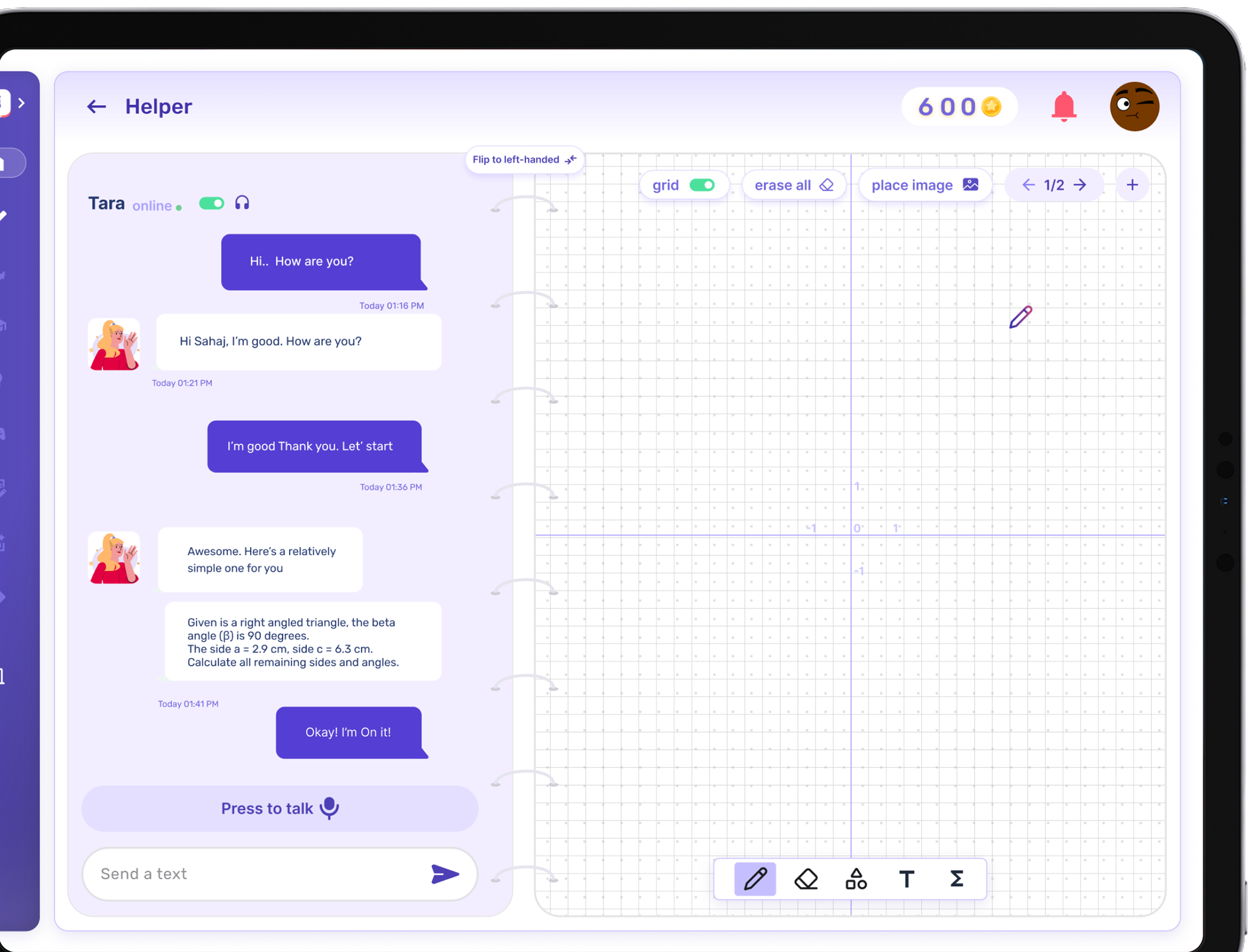
It’s not just customer support—chatbots can fulfill many roles. Informational apps use bots to quiz users or share daily tips in a friendly tone. Healthcare apps have virtual health assistants that remind you to take medicine or help triage symptoms with AI-driven questions. We’ve built apps where an AI mentor guides users through educational content, adapting its answers based on the user’s level of understanding.
The latest LLMs enable extremely nuanced conversations, so your app’s bot can handle follow-up questions and complex requests with ease. And thanks to modern APIs, integrating a high-powered chatbot is now relatively straightforward for developers. The bottom line: AI chatbots can make your app more interactive, user-friendly, and helpful, which in turn boosts satisfaction and retention.
2. Voice Interaction and Speech Recognition
Alongside text-based chatbots, voice interfaces are another transformative AI-driven feature for modern apps. With the proliferation of Siri, Alexa, Google Assistant, and others, consumers have grown accustomed to talking to their devices. Integrating voice recognition into your app can make it far more accessible and hands-free.
Imagine users speaking commands or queries instead of tapping through menus—this is invaluable when people are driving, exercising, or otherwise occupied. It’s also more inclusive for users who have difficulty with small touchscreens or keyboards. Today’s AI-powered speech recognition handles natural language with impressive accuracy, and it’s available to developers via services like Google’s Speech-to-Text API, Apple’s SiriKit, or custom AI models.
The usage statistics around voice are significant. Analysts projected 8.4 billion digital voice assistants in use by 2024—more voice bots than people on the planet. Consumers are embracing voice for more than just setting timers or checking the weather—71% of people now use voice assistants to research or browse products before buying. In the U.S., nearly a third of all mobile searches on Google are initiated by voice.
This trend shows that users find voice UX natural and efficient. For app creators, offering voice controls can meet a growing expectation.
Think about enabling voice search in an e-commerce app (“find red running shoes under $100”), or integrating voice dictation in a messaging or note-taking app. Voice can even be the primary interface: meditation, cooking, and workout apps often use voice guidance to lead the user through experiences without requiring screen interaction.
Designing a good voice UI requires careful thought. Provide visual feedback or confirmations (e.g., show recognized text and the app’s response) and handle errors gracefully. Privacy is another consideration—be transparent if your app is listening for voice commands.
We’re moving toward a multimodal world where apps respond to touch, voice, and even gestures interchangeably. By the start of 2026, the way we engage with devices will be fundamentally different, with voice and other natural modalities supplementing or even replacing typing. Integrating AI-driven voice now is a forward-looking move that can future-proof your app’s user experience and help it stand out.
Get Your Free 45-Minute App Roadmap
Meet 1-on-1 with our senior product team. We’ll map your MVP or enterprise app and hand you a personalized plan—clear scope, a realistic timeline, and fixed monthly costs—for iOS & Android, web, tablets & wearables, and AI.
3. Personalized User Experiences at Scale
Some apps seem to “get you” and cater to your needs immediately. That’s the power of AI-driven personalization.
Machine learning algorithms analyze user behavior and data to customize the content or features each user sees.
Instead of a one-size-fits-all interface, a personalized app might show different home screen content to different users. A news app could learn which topics you like and prioritize those; a shopping app could promote items in your preferred styles and sizes. This level of customization makes users feel valued and increases engagement.
The impact on business metrics is substantial. Consumers now expect personalization as a basic feature: 71% of users expect companies to deliver personalized interactions, and 76% get frustrated if this doesn’t happen. About 80% of consumers are more likely to make a purchase when brands offer a personalized experience.
Revenue data backs this up. According to McKinsey, companies that excel at personalization generate 40% more revenue from those efforts than average players. Across U.S. industries, shifting to top-tier personalization practices could unlock over $1 trillion in incremental value. The takeaway is simple—people respond to experiences that feel tailored to them.
How can a mobile app achieve this? AI and ML are the linchpins. Techniques like clustering and predictive modeling segment users and adapt to individual preferences. Streaming apps personalize home feeds; social apps adjust your feed based on engagement; utility apps adapt dashboards or suggest timely actions.
Personalization can even extend to the interface itself—adapting font sizes if a user always zooms in, or reordering navigation tabs based on frequent usage. The key is to use data responsibly. Be transparent about data use and provide opt-outs.
Netflix is a helpful case study: its homepage is driven by personalization, and over 80% of content streamed comes from personalized recommendations rather than broad categories. That approach has been credited with saving an estimated $1 billion per year by reducing churn. Even simple personalization—like greeting users by name and remembering their last activity—can make a difference. AI lets you go much further, automating learning from behavior and optimizing the experience for each individual.
4. Smarter Recommendation Engines
Recommendation engines deserve their own spotlight.
Whenever an app suggests something—a product, a song, a movie, a friend to connect with—there’s often a recommendation algorithm at work.
These systems use machine learning (from collaborative filtering to deep learning) to predict what a user might like based on past behavior and data from similar users. For businesses, recommendations are incredibly powerful drivers of engagement and sales.
Consider the giants: Amazon’s recommendation engine accounts for roughly 35% of all its sales. Spotify’s Discover Weekly has boosted satisfaction by surfacing fresh, relevant music. For streaming video, Netflix’s recommendations are legendary; the majority of viewing comes from algorithmic suggestions.
From the user’s perspective, good recommendations make an app far more useful. A news app can surface must-read articles you might have missed; a learning app can suggest courses based on your skill profile. This convenience often translates to loyalty.
On the business side, effective personalization and recommendations can drive a 10–15% revenue lift on average, and even higher for data-savvy companies. Implementation typically involves leveraging user data (with proper privacy safeguards) and integrating with AI services or libraries. Start simple (“related items”), measure impact (CTR, conversion, time in app), and iterate.
Bottom line: in a world of infinite choices, a smart recommendation engine is like a friendly guide, cutting through the noise and making your app stickier and more valuable.
5. Predictive Analytics and Proactive Features
AI doesn’t only react to user behavior—it can predict what a user might need next. Predictive analytics uses machine learning to forecast future actions or preferences based on historical data, enabling a more proactive user experience.
We’re seeing this across iOS and Android, where the operating systems themselves learn routines. Phones might suggest an app based on time of day or location (“Looks like you’re at the gym—open your fitness playlist?”). Those are predictive algorithms enhancing convenience.
Experts predict AI-powered apps will increasingly anticipate user behavior and automate complex tasks before users realize they need them. Examples include a scheduling app suggesting meeting times from calendar patterns, a travel app surfacing itinerary details after a flight booking, or predictive text that finishes sentences for you.
Adding predictive features requires data, a model, and in-app triggers for the model’s output. The payoff is an app that feels “alive” and context-aware. Even if predictions aren’t perfect, getting it right most of the time creates delightful interactions—just handle misses gracefully with easy dismissals.
Result: your app evolves from a passive tool into an active assistant. This is a key frontier of UX—apps that adapt in real time and continuously learn to serve users better.
6. Generative AI for Content Creation
Powerful generative AI models (like GPT-5, DALL·E 3, Stable Diffusion, and others) let mobile apps create content on the fly. Generative AI produces new text, images, audio, or even video based on what it has learned.
A messaging or email app can include an AI writing assistant that suggests full sentences or drafts replies from context. Image editors can remove objects, change backgrounds, or generate new images from prompts. Design apps let users create custom graphics by describing what they want.
If your app involves content creation or editing, generative AI can be a game-changer. Education apps can offer AI tutors that generate practice questions; recipe apps can generate custom recipes from ingredients on hand; travel apps can draft itineraries to save hours of research.
Users are curious and willing to try AI-generated solutions—ChatGPT reached 1 million users in just five days, the fastest adoption of any consumer app at the time. With that interest comes responsibility: generative AI can produce incorrect or biased outputs, so add guardrails, transparency, and (where needed) human-in-the-loop moderation.
From a technical standpoint, integration is straightforward using APIs from providers like OpenAI, Anthropic, and others. Many use cases don’t require training your own model—pre-trained models can be fine-tuned with domain data. On-device generative AI is emerging too, enabling offline features and enhanced privacy.
In short: generative AI enables features that feel almost futuristic—writing, drawing, composing, or deciding for the user in helpful ways. Set expectations, guide usage, and these features can become a highlight that boosts engagement and retention.
7. Computer Vision and Augmented Reality
Machine learning is revolutionizing what apps can do with images and the physical world through computer vision (CV). CV enables your app to interpret images or live camera feeds, unlocking everything from barcode scanning to sophisticated augmented reality (AR).
Practical applications abound: visual search lets users snap a picture of an item and find similar products in a catalog. Translation apps read signs or menus through the camera and translate them in real time.
AR overlays virtual objects onto the real world—hits like Pokémon GO showed the mass appeal, while IKEA’s app lets users place true-to-scale furniture models in their rooms to preview purchases. Studies show AR product previews can cut return rates by 25–40% as customers are happier with what they chose.
For enterprise uses, CV can be transformative. Healthcare apps can analyze skin lesions as assistive tools; industrial apps can recognize parts and pull up repair instructions. Today’s mobile devices—paired with libraries like Core ML/ARKit or ML Kit/ARCore—make sophisticated on-device vision feasible, with cloud APIs available for heavier lifting.
Design AR experiences carefully: guide camera movement, provide feedback as the AI “sees,” and ensure virtual objects align believably (scale, occlusion, lighting). By 2025, an estimated 1.7 billion mobile devices will have AR capabilities enabled, and users report high satisfaction—73% say AR improves their shopping experience.
Strategically: ask where camera vision could reduce friction (scan instead of type) or add “wow” moments (learning, collaboration, or shareable effects). The tools are ready—and so are users.
8. Intelligent Automation and AI Agents
AI can handle tedious or complex tasks for us. In mobile apps, this becomes intelligent automation—features that offload work from the user to an AI-driven process. Think beyond scripts: AI agents can make decisions and take multi-step actions.
A straightforward example is categorizing emails or messages. A photo gallery might auto-tag pictures with people, places, and events. A project management app could assign incoming tasks to the right team members based on past data.
Sortara, an AI-driven productivity app developed by Chop Dawg, showcases intelligent automation. It uses ChatGPT’s API integration to auto-sort and categorize list items for users, whether personal to-dos or enterprise workflows. The result? Organizing tasks and notes became 15× faster via AI, with beta users reporting 90% satisfaction and saved time. By letting an AI agent handle the busywork of sorting and tagging, the app frees users to focus on what matters most.
Any repetitive or rules-based process could be handed off to an AI agent. Beyond chatbots, non-conversational agents can chain tasks—summarize a report, then draft an email, all from one user request. Even simpler automations deliver value: travel apps that merge flight/hotel/car details into one itinerary, or finance apps that flag suspicious activities automatically.
Provide user control—start with “draft” mode and let users confirm actions. Communicate what’s happening (“Organized by AI”) to build trust. Over time, the best automations become invisible, like spam filtering in email. Goal: technology does the work so users don’t have to.
9. Security Enhancements with AI (Fraud Detection and More)
With breaches and fraud on the rise, integrating AI into your app’s security can deliver major benefits. Machine learning excels at detecting patterns and anomalies, making it a powerful tool for spotting suspicious activity that might indicate fraud, hacks, or abuse.
A major use case is fraud detection. Traditional rule-based systems catch some issues but are rigid and miss novel attacks. AI learns baseline behavior and flags anomalies—say, a low-volume user suddenly attempting dozens of transactions in an hour. AI systems have improved fraud detection accuracy by over 50% compared to traditional methods. In banking, around 91% of institutions now use AI for fraud detection, a testament to its effectiveness.
AI also enhances authentication. Biometric logins (Face ID, Touch ID) rely on AI-driven recognition, providing strong security with minimal friction. Beyond that, AI can monitor usage patterns and add adaptive defenses—requiring verification when behavior looks off.
Content moderation and spam prevention benefit as well. Text, image, and video models can filter policy-violating content and spam in real time, reducing manual review and protecting your user community.
Implementing AI security requires good data and careful tuning to balance false positives vs. misses. The investment pays off: businesses integrating AI-based fraud detection have seen up to a 40% reduction in losses. Users may not see these systems directly, but they feel the effects: fewer incidents, less spam, and reassuring alerts when risks are blocked.
In a competitive landscape, strong, AI-backed security is a differentiator, especially for enterprise clients and sensitive verticals like fintech and healthtech.
10. Continuous Learning and Improvement
AI-powered features can learn and get better over time. Traditional features are static until the next release; ML-based features improve as users interact with them, provided you’ve set up feedback loops and training pipelines.
For example, launch a recommendation feature with a baseline model. As users click, skip, and convert, the model trains on that feedback and refines its suggestions. Over weeks and months, performance improves—without a visible app update. Users may not know the mechanics, but they notice that the app seems to “know them” more over time.
Continuous learning shines where preferences change or seasonality matters. AI adapts to trends faster than rule-based systems. In productivity, if an AI notices you routinely correct a suggestion or perform steps in a specific order, it can stop making that mistake or propose automating the routine.
Designing for continuous improvement means collecting feedback data, retraining models, and monitoring for model drift. When managed well, your app feels like it’s under the care of a diligent gardener, always adjusting for optimal growth.
Communicate the benefit implicitly—users understand that “the more I use this app, the better it gets.” That encourages engagement and supplies the data that fuels further improvement. This is a durable advantage over competitors whose experiences remain static.
Conclusion: Embracing the AI Advantage
Integrating AI and machine learning into your mobile app is no longer a bleeding-edge experiment—it’s rapidly becoming best practice.
From conversational chatbots and voice assistants to personalization, recommendations, automation, and security, AI-powered apps deliver more assistance, more relevance, more security, and more creativity.
These enhancements don’t just make your app “cooler”; they move the metrics that matter.
Companies excelling at personalization drive ~40% more revenue from personalization, and AI chatbots cut support costs while raising customer satisfaction.
AI isn’t just icing on the cake—it’s becoming the cake for many successful apps.
Doing it right is key.
Poorly implemented AI (a clumsy bot or irrelevant recs) frustrates users. Start with clear use cases, leverage quality data, and iterate. Many AI features improve continuously without forcing app updates—they learn and adapt in production.
At Chop Dawg, we’ve leaned fully into this AI-driven future.
We’ve built apps with embedded LLM chatbots to provide real-time counseling advice, integrated OpenAI’s APIs to sort and manage data automatically, and used machine learning to craft personalized experiences that users rave about. We’ve seen AI enhancements turn good apps into great ones—Couples Therapy Assistant’s AI guide became a round-the-clock support system, and Sortara’s AI sorter saved users significant time. These aren’t gimmicks; they materially improve utility and stickiness.
As you consider adding AI and ML to your own app (or building a new AI-powered product), remember it’s not all-or-nothing. Start small—add a smart recommendations section or a focused chatbot—and expand as you see success. The gap between apps that leverage AI and those that don’t will widen as users flock to services that are more responsive, personalized, and intelligent.
Need help making it happen? This is where we come in.
At Chop Dawg, we’re at the forefront of AI app development, with deep experience integrating LLMs and ML into mobile apps across industries. Whether you want to explore how AI can enhance your current product or you’re planning an AI-first build, we’ll help you design the right solution for your goals.
Contact us for a free consultation, and let’s explore how to leverage the latest in AI and machine learning to turn your mobile app idea into a smart, scalable, and successful reality.



 18 Mins