 14 Min

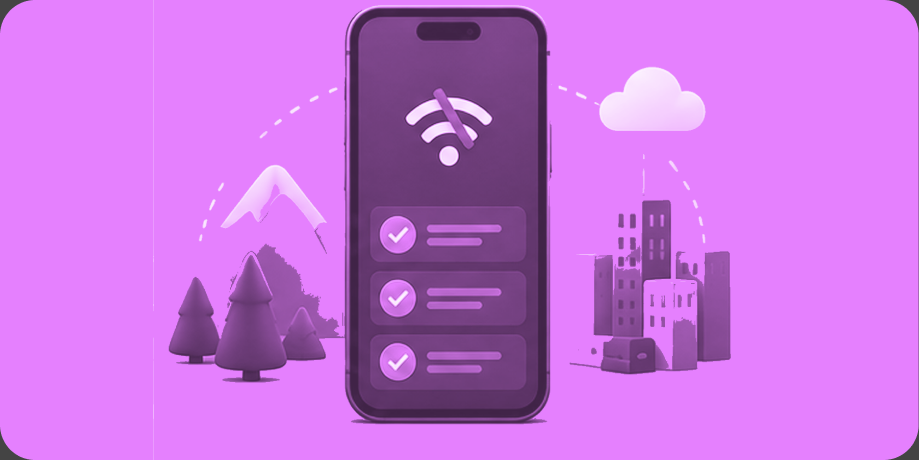
Your app needs offline mode if your users work or live where connectivity fails: field crews on job sites, rural routes, travelers in airplane seats, packed event venues, and healthcare facilities with dead zones. Most other apps can skip it. Connectivity is still not a given in 2026: the Pew Research Center reports that only 78% of US adults subscribe to home broadband, and 16% rely on a smartphone alone for internet access. Offline mode keeps your app useful inside those gaps, but it adds real scope: local storage, sync queues, conflict resolution, and a larger testing matrix. Here is who needs it, how it works, and when skipping it is the smarter budget call.
Key Takeaways
- Offline mode matters most for field crews, rural users, travelers, event attendees, and healthcare or industrial settings with dead zones.
- It works through three building blocks: local storage on the device, a sync queue for pending changes, and conflict resolution when the network returns.
- There are levels: a read-only cache is modest work, offline data capture is moderate, and full offline-first architecture is a significant commitment.
- Offline support expands quality assurance (QA) scope meaningfully, because every feature must be tested connected, disconnected, and mid-sync.
- Always-connected consumer apps usually should skip offline mode at launch and revisit it once usage data shows a need.
Who Actually Needs Offline Mode
Offline mode is for apps whose critical moment happens where the signal is weakest. If a user’s workday, safety, or record keeping depends on your app functioning in a basement, a rural county, or a crowded stadium, offline support is a requirement, not a luxury.
The clearest cases we see across 500+ launches since 2009:
- Field and trade crews: construction sites, utility work, agriculture, and home services, where job sites regularly sit outside coverage.
- Rural and mobile workforces: home care visits, delivery routes, and inspections across counties where coverage maps flatter reality.
- Travel: flights, international roaming, subways, and cruise ships, where users expect saved content to still open.
- Events: stadiums and festivals, where thousands of phones saturate towers and effective bandwidth collapses.
- Healthcare and industrial facilities: hospital wings, plants, and warehouses with structural dead zones and strict documentation requirements.
If your users sit on office Wi-Fi or home broadband and your product breaks gracefully on a bad connection, you likely do not need true offline mode at launch.
How Offline Mode Works: Storage, Queues, and Conflicts
Offline mode rests on three mechanisms. The app stores data locally on the device so screens still load, queues every change the user makes while disconnected, and reconciles those queued changes with the server once the network returns, resolving any conflicts along the way.
Local storage means a real database on the phone, not just cached images: records, forms, and documents structured so the app can read and write them without a server. The sync queue is the ledger of everything that happened offline, in order, waiting to upload. Conflict resolution is the hard part. If a caregiver edits a patient note offline while a coordinator edits the same note from the office, the system needs rules for which change wins, how to merge, and when to ask a human. Most business apps get far with “last write wins” plus an audit trail, but anything touching compliance, money, or safety needs deliberate rules per data type.
| Offline level | How it works | Best for | Scope impact |
|---|---|---|---|
| Read-only cache | Recently loaded content stays viewable without signal | News, reference material, travel itineraries, documents | Modest: days of work, light testing |
| Offline capture with sync queue | New entries save locally and upload automatically when connectivity returns | Field forms, inspections, time tracking, care logs | Moderate: local database, queue logic, added QA passes |
| Full offline-first | The device database is the source of truth with continuous two-way sync and conflict resolution | Mission-critical field operations, healthcare, industrial tools | Significant: architecture decision that shapes the whole build |
What Offline Mode Adds in Scope and Testing
Offline support multiplies test cases more than it multiplies screens. Every feature now has at least three states to verify: connected, disconnected, and reconnecting mid-action, and QA has to simulate flaky networks, airplane-mode toggles mid-upload, and a phone that dies with a full sync queue.
Design work grows too. Users need to see what is synced, what is pending, and what failed, without alarming them. Storage limits, stale-data indicators, and retry behavior all need decisions. On budget: a read-only cache fits comfortably inside a focused minimum viable product (MVP) in the $25,000 to $60,000 range, offline capture with sync pushes a build toward the upper half of that range, and full offline-first architecture is one of the markers that moves a project into complex territory at $75,000 to $150,000 or more. The silver lining is that AI and agent-assisted coding, with engineers reviewing every change, has roughly halved what this work cost between 2020 and 2023, which puts serious offline tooling within reach of mid-sized budgets. Timelines follow the same logic: about 3 to 6 months for a focused build, 6 to 12+ months for complex offline-first platforms. Current ranges live on our app development costs and pricing page.

Get Your Free 45-Minute App Roadmap
Meet 1-on-1 with our senior product team. We’ll map your MVP or enterprise app and hand you a personalized plan—clear scope, a realistic timeline, and fixed monthly costs—for iOS & Android, web, tablets & wearables, and AI.
When to Skip Offline Mode
Skip offline mode when your product’s core value requires a live connection anyway, when your audience is reliably connected, or when you are still validating demand. An MVP that nobody has used yet does not need conflict resolution; it needs users.
Social feeds, marketplaces, and messaging products can launch with graceful degradation instead: clear connection-state indicators, cached last-known content, and actions that fail politely with a retry. That is a fraction of the cost and covers the subway ride. The honest question is whether offline is a core workflow or an edge case. If your support tickets and reviews later fill with “lost my work in the field,” the usage data has answered it, and offline capture can be added in a focused post-launch phase, ideally with the data layer designed for that future from day one.
How Chop Dawg Builds Offline-Capable Apps
We treat offline as an architecture decision made during strategy, not a feature bolted on later, because retrofitting sync into an online-only data model is expensive. ZBritt, a bilingual home care platform we built for the Dominican Republic market, gives caregivers one-tap GPS clock-in and clock-out, patient profiles, and care logs with photo and video uploads, with offline support that syncs automatically when connectivity returns, because home care does not pause for coverage gaps. Founder Cheril Brito of Lifeguard Home Care Agency said: “Chop Dawg has helped me save time and money. … They have done everything in record time. … I recommend working with them 100%.” For the Youth Rugby Initiative, the US Rugby Foundation’s program bringing flag rugby to schools nationwide, coaches log attendance and photos from the sideline through offline-friendly forms that sync later, built in React, Firebase, and Google Cloud Platform. Their operations manager, Aaron Ewerdt, told us: “We’ve been thoroughly impressed with Chop Dawg’s honesty and responsiveness.” And the demand keeps growing: we are actively building offline-first field tools for industrial users in 2026, where the device database is the source of truth by design.
Every one of those builds is staffed in-house. Chop Dawg is US-headquartered and US-led, with American ownership of product and project management, senior development, senior design, and senior QA, supported by our own Brazilian design team and our own development, QA, and project-management teams in Pakistan and India, fluent in English and on US hours. That in-house structure eliminates the two risks founders rightly fear: a lone American salesperson fronting hidden offshore developers with no accountability, and a faceless overseas shop with no US business norms and no time-zone overlap. Choose the fully American route for government and regulated work, or the blended model most partners choose for the same quality at lower cost. Our development services handle sync architecture end to end, and our proven process shows exactly where the offline decision gets made.
Frequently Asked Questions
How much does offline mode add to app development cost?
It depends on depth. A read-only cache fits within a focused MVP budget of $25,000 to $60,000, offline data capture with sync pushes toward that range’s upper half, and full offline-first architecture is a hallmark of complex builds at $75,000 to $150,000 or more, driven mostly by added testing.
How does an app sync data after being offline?
Changes made offline are saved to a local database and recorded in a sync queue. When connectivity returns, the app uploads queued changes in order, downloads anything new from the server, and applies conflict-resolution rules where the same record changed in both places, all automatically in the background.
What is conflict resolution in an offline app?
Conflict resolution is the set of rules deciding what happens when the same data changes in two places while disconnected, such as two staff members editing one record. Common strategies include last-write-wins, field-level merging, and flagging conflicts for human review, chosen per data type based on risk.
Can offline mode be added after my app launches?
Yes, and phasing it in after launch is often the right call. A read-only cache and offline capture can be added in a focused update, though full offline-first architecture is much cheaper when the data layer is designed for it upfront. Flag the possibility during initial planning either way.
Do I need offline mode in my MVP?
Only if offline use is your core workflow, as it is for field crews, home care visits, and industrial sites. If your audience is reliably connected, launch with graceful degradation, clear connection indicators and polite failure states, then let real usage data tell you whether deeper offline support earns its cost.
Does offline mode work the same on iOS and Android?
The user experience can be identical, and cross-platform frameworks like React Native support a shared local database and sync logic across both. Platform differences show up in background execution and storage details, which is why offline builds add device-specific QA passes to the plan rather than extra apps.
Build for the Dead Zones That Matter
Offline mode is a targeted investment: essential where work happens beyond coverage, skippable where it does not, and always cheaper when decided early. If you are weighing it for a new build or an existing product, whether you run a startup or an established field operation, book a free 45-minute consultation and we will scope it honestly, whether or not you hire us. Since 2009, now in our 18th year, Chop Dawg has launched 500+ products used by over 1 billion people, holding a 92% repeat-partner rate and 300+ five-star reviews across trusted directories including Clutch, GoodFirms, G2, Google, and TopDevelopers.




 15 Min