 16 Min

To build an internal business app for your company in 2026, you need a focused core: a single source of truth for your data, workflow automation that replaces manual steps, role-based access so the right people see the right things, dashboards and reporting, and integrations with the systems you already run. A quality internal tool realistically takes about six to eight months and lands in the $25K to $75K range for a focused build, or $75K to $150K and up for complex, multi-department platforms. The payoff is concrete: Smartsheet, citing McKinsey research, reports that 60% of employees could save 30% of their time by automating routine tasks. The hard part is not the user interface. It is mapping messy real-world processes, integrating legacy systems, and getting your team to actually adopt the tool. This guide shows you how to build an internal app that sticks.
Key Takeaways
- A focused internal business app takes roughly six to eight months and $25K to $75K; complex multi-department platforms run $75K to $150K and up.
- The biggest wins come from replacing spreadsheets and manual data entry with one reliable system, since teams lose hours every week to re-keying and coordination.
- Role-based access control is foundational, not optional: it governs who can see, edit, and approve, and it is central to security and compliance.
- Integrations with your existing systems are usually the hardest part, so scope them and your data model early.
- React Native with native Swift or Kotlin where needed, a React web app, and a Node.js back end on Google Cloud Platform, Amazon Web Services, or Microsoft Azure give you a secure, scalable internal platform you fully own.
What Is an Internal Business App and What Are the Core Features?
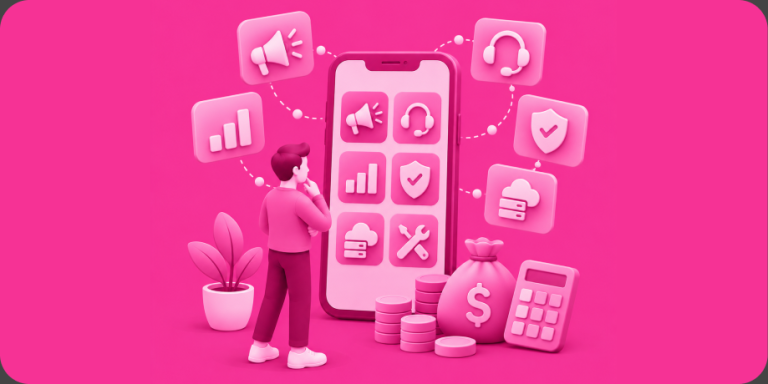
An internal business app is custom software your company uses to run its own operations rather than something you sell to customers. It replaces the patchwork of spreadsheets, email threads, paper forms, and disconnected tools that most teams rely on, and it gives you one place to capture data, move work through a process, and see what is happening. Common examples include operations and inventory dashboards, field-service and dispatch tools, approval and request workflows, custom customer relationship or order management systems, employee portals, and reporting platforms that pull everything together.
The core features most internal apps need are: secure authentication with role-based access control, structured data capture that replaces manual entry, workflow automation that moves items through statuses and approvals, dashboards and reporting for visibility, notifications and alerts, an admin layer to manage users and permissions, and integrations with the systems you already use such as accounting, payroll, point of sale, or your enterprise resource planning platform. More advanced builds add audit logs, fine-grained permissions, offline support for field teams, and analytics that turn operational data into decisions.
We built this kind of operational platform for Innovative Vending Solutions, which operates a network of more than 50,000 massage chairs, over 100,000 strollers, and digital screens across malls, airports, and travel hubs. We unified their hardware, payments, loyalty, and user profiles into one cross-platform system, integrating their custom hardware via Bluetooth, connecting Nayax payments, and building QR code application programming interfaces (APIs) to sync each device in real time. Their COO Matthew Marino noted that we were “exceptionally thorough in scoping the project, ensuring we don’t encounter overruns or scope creep.” That scoping discipline is exactly what internal tools need, because the real complexity hides in the operational details, not the screens. We applied the same thinking to C.A. Short, where we modernized an employee recognition and engagement platform with role-based access and reporting, the kind of internal system a whole organization relies on every day.
How to Build an Internal Business App: Step by Step
- Start by mapping the real process. Document how the work actually happens today, including the spreadsheets, the workarounds, and the manual handoffs. The goal is to understand the messy reality before you design anything, because an app that ignores how people really work will be ignored in return.
- Define the minimum viable product. Target the single process causing the most pain, such as the workflow buried in a fragile shared spreadsheet, and solve that end to end first. Keep the broader platform on a roadmap so you ship value fast and earn momentum.
- Design wireframes, then a clickable prototype. Map each role’s screens and the workflow states as wireframes, then build a clickable, non-functional prototype (NFP) in Figma. An NFP is a clickable mockup of your screens and flows, not a working coded app. Put it in front of the people who will actually use it daily, because internal adoption is won or lost in these details.
- Choose your tech stack and confirm integrations. Select a secure, scalable stack and confirm exactly which existing systems the app must connect to and how. (Our recommended stack is below.)
- Build the product. Senior engineers build authentication and role-based access, the data model, workflow automation, dashboards, and integrations in iterative sprints, wiring in your existing systems through APIs.
- Test and run quality assurance. Test every role’s permissions, the workflow logic, the integrations, and the reports on real devices. Verify that each role can do exactly what it should and nothing it should not, because in internal tools a permissions gap is a security incident.
- Launch and roll out with training. Internal apps usually deploy through your company rather than only the public app stores, so plan a rollout with training, a migration from old spreadsheets, and a feedback channel. Adoption is the real launch metric.
- Iterate from real usage. Watch where people still fall back to spreadsheets or workarounds, and close those gaps. The app gets more valuable as it absorbs more of the real workflow.

Get Your Free 45-Minute App Roadmap
Meet 1-on-1 with our senior product team. We’ll map your MVP or enterprise app and hand you a personalized plan—clear scope, a realistic timeline, and fixed monthly costs—for iOS & Android, web, tablets & wearables, and AI.
Recommended Tech Stack
For a secure, scalable internal business app, we recommend React Native for iOS and Android from a single core codebase when your team works on phones or tablets in the field, with native Swift or Kotlin modules where you need device features like offline data or hardware connectivity. Use React for the web app and admin dashboards your office teams live in, and Node.js for the back end powering your data model, workflow engine, permissions, and integrations. Host on Google Cloud Platform, Amazon Web Services, or Microsoft Azure for enterprise-grade security, reliability, and the ability to scale across departments. This is the same foundation behind the Innovative Vending Solutions platform, where one architecture connects hardware, payments, loyalty logic, and admin controls, and is built to absorb new product lines without a costly redesign. Critically, you own all the code and intellectual property, so your internal tool is a company asset, not a rental.
Timeline and Cost by Complexity
| Complexity | Typical Timeline | Cost Band |
|---|---|---|
| Single-process tool (replace one spreadsheet or workflow) | 4 to 6 months | $25K to $75K |
| Multi-role operations app with integrations | 6 to 8 months | $60K to $120K |
| Complex multi-department platform | 7 to 9 months+ | $75K to $150K+ |
| System integrations (accounting, payroll, ERP, point of sale) | Runs in parallel | Scoped per system |
| Testing, QA, and rollout with training | 4 to 8 weeks | Included in build |
| Ongoing support and iteration | Ongoing | Fixed-monthly |
Artificial intelligence (AI) and agent-assisted coding tools like Claude Code and Cursor, with senior engineers reviewing and editing every change rather than shipping unreviewed output, have cut typical 2020-to-2023 build costs and timelines by roughly half. See our app development costs and pricing and our enterprise software development resources for more.
Common Pitfalls
- Underestimating integrations. Connecting to existing accounting, payroll, point-of-sale, or enterprise resource planning systems is usually the hardest, most time-consuming part of an internal build. Legacy systems and inconsistent data make integration work that must be scoped up front through application programming interfaces (APIs), not discovered late.
- Weak role-based access and security. Internal apps hold sensitive operational and employee data. Vague permissions create both security risk and compliance exposure, so role-based access control and proper data handling must be designed in from the start, with audit logs where regulations require them.
- Automating a broken process. Building software around a flawed workflow just makes the flaws faster. Map and improve the process first, then automate the improved version.
- Ignoring adoption. If the app is harder than the spreadsheet it replaces, your team will quietly keep using the spreadsheet. Involve real users early, train at rollout, and design for the people doing the work.
- No plan for data migration. Years of data live in those old spreadsheets and tools. Migrating it cleanly into the new system is essential, because an empty app on launch day stalls adoption before it starts.
Frequently Asked Questions
How much does it cost to build an internal business app in 2026?
A focused tool that replaces one spreadsheet or workflow typically costs $25K to $75K. Multi-role operations apps with integrations run higher, and complex multi-department platforms reach $75K to $150K and up. AI-assisted development has cut earlier build costs and timelines by roughly half.
How long does it take to build an internal company app?
Plan on about six to eight months for a quality build, covering process mapping, design, development, integrations, and quality assurance. Because internal apps often deploy through your company rather than only the public app stores, rollout timing depends on training and data migration more than store review.
Should we build custom software or just use an off-the-shelf tool?
Off-the-shelf tools work when your process is standard. Custom internal apps make sense when your workflow is a competitive advantage, when no product fits how you operate, or when you are stitching together several tools and spreadsheets. Custom software also becomes an owned asset rather than a recurring subscription you cannot control.
How do internal apps handle different roles and permissions?
Through role-based access control, which defines what each role can see, edit, and approve. This is foundational to internal tools because it protects sensitive data, enforces approval chains, and supports compliance. We design permissions and, where needed, audit logging from the start rather than bolting them on later.
Can the app integrate with our existing systems?
Yes, and it usually should. Internal apps connect to accounting, payroll, point-of-sale, customer relationship, or enterprise resource planning systems through application programming interfaces (APIs) so data stays in sync and your team avoids re-keying. Integration is typically the most demanding part of the build, so we scope it early.
Will my company own the software and data?
With us, yes. You own all the code and intellectual property, so your internal tool is a company asset you control and can extend. For government-regulated work we staff fully-American teams, and we offer fixed-monthly pricing you can end anytime, with no middleman between you and the senior people building your product.
Build Your Internal App with a Partner Who Has Done It
An internal business app succeeds when it replaces real manual work, integrates cleanly, and earns adoption from the people who use it every day, and that takes a team experienced in operational software and enterprise integrations. That is how we work as a true partner, not an agency. Since 2009, our United States-led team has shipped 500+ products used by more than a billion people, and 92% of our partners return for their next build, backed by 300+ five-star reviews across trusted directories like Clutch, GoodFirms, G2, Google, and TopDevelopers. Enterprises that have trusted Chop Dawg with operational software include Siemens and C.A. Short, the kind of organizations whose teams depend on internal tools every day. You own all the code and intellectual property, work directly with senior engineers and project managers, and stay aligned through weekly Zoom calls, daily Slack, and full visibility in Jira and Confluence. Leadership, product and project management, and senior development, design, and QA sit with our American team, alongside an in-house Brazilian design team and in-house development, QA, and project-management teams in Pakistan and India, every one of them in-house Chop Dawg and assigned directly to you, never a subcontractor or middleman. You can run a fully-American team, which is how we staff government and regulated work, or opt for a cost-effective United States-plus-offshore blend that holds the same quality, timelines, and direct access to the real senior people, with no faceless overseas shop and no salesperson standing between you and the team. If you are ready to replace the spreadsheets and manual steps slowing your company down, book your free 45-minute consultation and let’s scope it together. Want to see how we work first? Explore what we’ll do for you, our proven process, and our development services.



 15 Min