









 21 Min


Restaurant tech is unsexy but lucrative. A custom-built restaurant app pays for itself within 12-18 months for any restaurant doing $500,000+ in annual revenue. That’s because third-party platforms like DoorDash and Uber Eats take 15-30% commission on every order. A restaurant managing just 100 orders per month through a custom app instead of DoorDash saves $1,500-3,000 per month in commissions alone.
But building a restaurant app is different from building a consumer app. You’re not just building for diners. You’re building for restaurant staff: managers, kitchen staff, delivery drivers, and cashiers. You’re integrating with expensive POS systems. You’re coordinating logistics in real time.
Do it right and you have a sustainable business that restaurants will pay for. Do it wrong and you’re fighting with POS vendors and trying to coordinate delivery chaos.
Let’s talk about what goes into building a restaurant app that actually works.
The Restaurant App Business Model
There are two fundamentally different models:
1. Build for Individual Restaurants
You build a custom app for a single restaurant (or small chain). The restaurant owns the relationship with customers. You’re a software vendor.
Revenue model:
- Monthly SaaS fee: $500-2,000 depending on features and transaction volume
- Commission on orders (2-5% if you handle payments)
- Setup and integration fees
Advantages:
- Restaurants keep 100% of customer relationships and data
- You’re solving a real problem (avoiding third-party commissions)
- Restaurants are motivated to promote your app
- Sticky; restaurants lock in after integration
Disadvantages:
- Each restaurant needs separate support
- Marketing is restaurant-by-restaurant
- POS integration is a nightmare; every restaurant uses a different system
- Delivery logistics is complex; you need to solve routing, driver management, etc.
2. Build an Aggregator Platform
You build a consumer app that lists restaurants and processes orders. Think DoorDash or Uber Eats.
Revenue model:
- Commission on every order (15-30%)
- Advertising to restaurants (“promoted placement”)
- Delivery fees
Advantages:
- Network effects; the more restaurants, the more valuable the app
- Massive scale potential
- Direct relationship with diners
Disadvantages:
- Requires enormous scale to be profitable (thousands of restaurants and millions of diners)
- Heavy capital requirements (driver logistics, insurance, payments)
- Restaurants dislike the commission model and will switch if something better exists
- Regulatory scrutiny on commission rates and restaurant relationships
Most new restaurant apps choose model 1 (individual restaurants) because the capital and scale requirements of model 2 are unrealistic for a bootstrapped startup.
The Case for Building vs. Using Third Parties
Many restaurant owners ask: “Should I build my own app or just use DoorDash?”
Here’s the math:
DoorDash math:
- Commission: 15-30% per order (DoorDash takes the high end for restaurants without much negotiating power)
- Let’s say 25% average
- Restaurant does 500 orders/month at $30 average order value
- Revenue: $15,000/month
- Commission to DoorDash: $3,750/month
- Annual commission: $45,000
Custom app math:
- Build cost: $30,000-60,000
- Monthly software/hosting cost: $1,000-2,000
- Setup and integration: included in build
- Annual software cost: $12,000-24,000
- Year one total cost: $42,000-84,000
- By year two: only software costs (~$12K-24K/year)
Breakeven: A restaurant doing $500K+ annual revenue saves money within 12-18 months with a custom app. Smaller restaurants (under $300K/year) might be better off with DoorDash until they scale.
This analysis assumes the restaurant can drive diners to their own app. That’s the hard part. Many restaurants use DoorDash because customers discover them there. A custom app requires marketing.
Understanding POS Integration
The POS (Point of Sale) system is the restaurant’s nervous system. It manages orders, inventory, staff, and payments. Your app must integrate seamlessly or restaurant staff will hate it.
Major POS Systems
The landscape is fragmented:
- Toast: Growing fast, modern API, popular with full-service restaurants and chains
- Square: Dominant in small restaurants, good API documentation
- Clover: Square competitor, used heavily by independent restaurants
- Micros/Oracle: Legacy, used by larger chains, integration is harder
- TouchBistro: iPad-based, popular with smaller restaurants
- Lightspeed: Growing in QSR, decent API
You can’t support all of them at launch. Pick the top 2-3 and expand.
Key Integration Points
Order flow:
- Customer places order in your app
- Order is sent to the POS system
- POS displays order to kitchen staff
- Kitchen marks items ready
- Your app notifies customer
- Driver picks up and delivers (if applicable)
- Transaction settles in the POS
This seems straightforward but is fragile in practice. POS APIs are inconsistent. Order formatting differs. Failures at any step ruin the experience.
Menu sync:
The menu lives in the POS. Your app needs to sync it:
- When items are added, removed, or discontinued
- When prices change
- When items run out of stock
- In real-time or near-real-time
Late menu syncs frustrate customers who order items the restaurant doesn’t have.
Payments:
Orders can be paid in the app or at pickup. Your app needs to:
- Process payments securely
- Handle refunds (customer changes mind, restaurant closes, etc.)
- Reconcile payments in the POS
- Handle payments from both your app users and DoorDash/Uber Eats simultaneously
Real-time inventory:
For restaurants selling perishables, real-time inventory is important. A customer shouldn’t order an item that sold out 5 minutes ago.
Many POS systems don’t expose real-time inventory. You’ll need to:
- Pull inventory periodically (every 5-15 minutes)
- Cache it
- Show a slight delay to customers
Or work with the restaurant to manually disable out-of-stock items.
Using POS APIs
When integrating with a POS, use their official API:
- Toast API: Toast POS has a solid REST API with webhooks for real-time order events
- Square API: Square for Restaurants has comprehensive APIs for orders, inventory, and payments
- Clover API: Clover’s developer platform supports custom app integration
Never reverse-engineer a POS or scrape its interface. You’ll get sued and your integration will break the next time they update.
Get Your Free 45-Minute App Roadmap
Meet 1-on-1 with our senior product team. We’ll map your MVP or enterprise app and hand you a personalized plan—clear scope, a realistic timeline, and fixed monthly costs—for iOS & Android, web, tablets & wearables, and AI.
Building the Customer Experience
The Ordering Interface
Keep it simple and fast.
- Browse menu: Categories, search, filtering by dietary needs (vegan, gluten-free, etc.)
- Item details: Photo, description, price, customization options (size, toppings, cooking instructions)
- Cart: See what you’ve ordered, modify quantities, apply codes
- Checkout: Address, delivery time, special instructions, payment
- Confirmation: Receipt, estimated delivery time, order tracking
Most diners spend less than 10 minutes ordering. Speed matters.
Customization Options
Restaurants need flexibility to offer modifiers:
- Add-ons: Sides, extra protein, sauces (usually charged)
- Size options: Small, medium, large
- Special instructions: No onions, extra spicy, etc.
- Combos/bundles: A main item + side + drink for a fixed price
Your app needs to handle arbitrary combinations and calculate prices correctly. This is more complex than it appears.
Search and Discovery
Help diners find what they want:
- Category browsing: Appetizers, mains, desserts, drinks
- Search: Type “pizza” and see relevant items
- Favorites: Save items for quick reordering
- Recommendations: Popular items, new items, seasonal items
- Dietary filters: Vegan, gluten-free, low-calorie, etc.
Search is powerful. Diners using search spend 20% more than browsers.
Pickup vs. Delivery
Handle both. Some customers want pickup (cheaper, faster). Others want delivery.
Pickup:
- Customer orders for a specific time (ASAP, 15 minutes, 30 minutes, etc.)
- Kitchen prepares by that time
- Customer picks up at counter or drive-through
- No delivery logistics needed
Delivery:
- Customer provides address
- Calculate delivery fee and time
- Assign to driver
- Real-time tracking for customer
- Driver delivers
Delivery Logistics
Delivery is the hardest part. You’re managing drivers, routes, real-time traffic, and customer expectations.
Do You Use Third-Party Drivers?
Option 1: Own drivers
You hire and manage delivery drivers. This gives you control but requires:
- Employment liability
- Workers compensation
- Vehicle insurance
- Scheduling and training
- Payment processing
Most restaurants don’t do this at scale.
Option 2: Gig drivers (DoorDash, Uber Eats)
You outsource delivery to third-party platforms. They handle driver logistics, payment, insurance.
But this defeats the purpose of avoiding commissions. You pay DoorDash or Uber Eats to deliver.
Option 3: Hybrid
Use third-party drivers by default but allow customers to arrange their own pickup or delivery. This is most restaurants’ approach.
Route Optimization
If you do manage delivery, optimize routes:
- Cluster orders: Multiple orders going to nearby addresses should be delivered together
- Real-time traffic: Use Google Maps or similar to calculate delivery times
- Driver assignment: Assign orders to drivers based on location and capacity
- Rebalancing: If a driver gets stuck in traffic, reassign their orders
This requires real-time backend logic and is complex to get right.
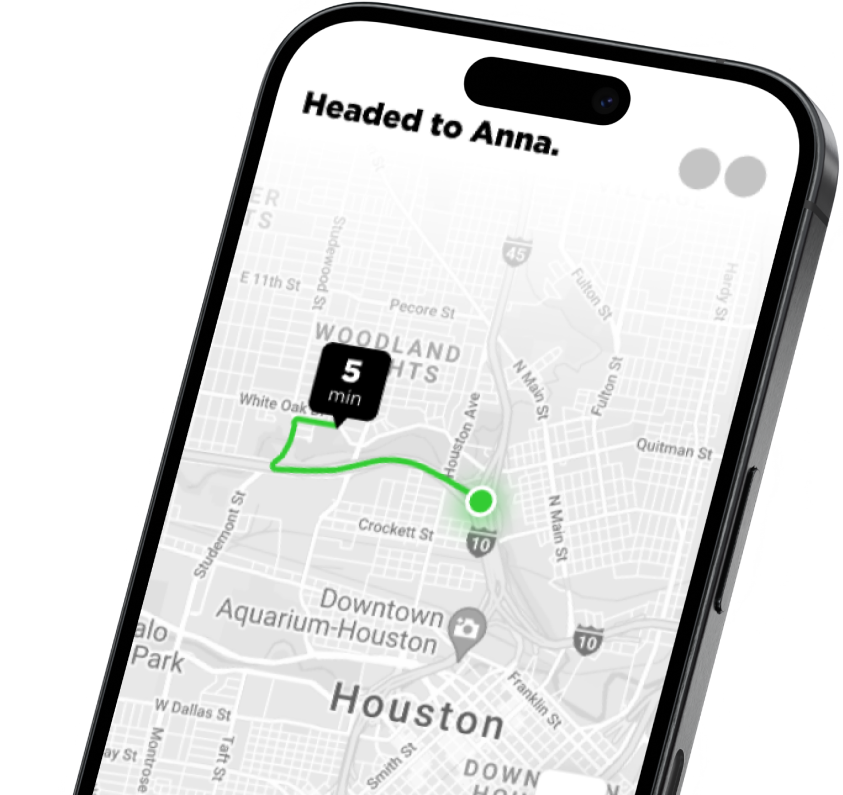
Order Tracking
Customers want to know where their food is. Provide:
- Status updates: “Preparing,” “Ready for pickup,” “In transit,” “Delivered”
- Real-time driver location: Show driver on a map (with driver privacy controls)
- Estimated arrival time: Updated as traffic changes
- Push notifications: Notify customer of status changes
Good tracking reduces customer service calls.
Integration with Google Maps
Use Google Maps Platform for:
- Directions: Calculate delivery routes
- Distance matrix: How long between locations?
- Geocoding: Convert addresses to coordinates
- Real-time traffic: Account for current traffic in ETA
Good integration makes logistics feel seamless.
Loyalty and Retention
Food delivery is high-frequency. A diner who orders from you 2x/month can be a 3x/month customer with the right incentives.
Loyalty Programs
- Points per order: 1 point per dollar, 100 points = $10 off
- Birthday rewards: Free entree or $5 off
- Milestone rewards: Free item on 10th order, 25th order, etc.
- Tiered status: Gold, silver, bronze with increasing benefits
Loyalty programs drive repeat orders. Track this metric obsessively.
Retention Metrics
- Repeat rate: % of customers who order more than once
- Average order value (AOV): Aim to increase over time
- Churn: % of customers who don’t order again within 30 days
- Lifetime value (LTV): How much does an average customer spend over their lifetime?
A healthy restaurant app has 30-40% repeat rate and LTV > 3x acquisition cost.
Staff-Facing Features
Don’t forget the restaurant team. Your app needs to work for them.
Kitchen Display System (KDS)
Orders appear in the kitchen in order received (or by priority if you allow customers to pay for faster prep).
Features:
- Clear order display: Item name, quantity, special instructions
- Ticket printing: Print backup tickets for high-volume orders
- Station routing: Send orders to the right kitchen station (grill, fryer, assembly)
- Status updates: Mark items ready when complete
- Rush mode: Notify drivers/customers immediately when ready
A bad KDS causes orders to be forgotten or delayed. Get this right.
Manager Dashboard
Managers need:
- Sales analytics: Revenue, orders, average order value by time/day
- Menu management: Disable items, adjust prices, manage inventory
- Refunds and chargebacks: Process refunds for customer complaints
- Driver management: Assign, track, rate drivers
- Customer insights: Who orders what, when do they order, what are repeat customers?
A good dashboard lets managers run the business without calling you.
Development Cost and Timeline
A solid restaurant app MVP costs $30,000 to $60,000 and takes 3-5 months.
This includes:
- iOS and Android apps
- Customer-facing ordering and payment
- Kitchen display system
- Manager dashboard
- Integration with one POS (Toast or Square)
- Basic analytics
More advanced features (delivery logistics, real-time inventory sync, loyalty programs) add $15K-30K.
How to Launch Successfully
Start with One Restaurant
Don’t try to support 100 restaurants in v1. Partner with one restaurant that’s motivated to leave DoorDash. Build intimately for them. Learn what breaks. Iterate.
Choose Your POS Carefully
Don’t commit to supporting all POS systems. Pick one that has:
- Good API documentation
- Active developer support
- Adoption among your target restaurants
Toast and Square are safer bets than obscure systems.
Get the KDS Right
The kitchen display system is the most critical piece. If kitchen staff hate it, the whole app fails. Spend extra time testing this with real kitchen staff.
Test Edge Cases
- What happens if an order fails to reach the POS?
- What if a customer orders an item and it sells out 10 seconds later?
- What if a driver cancels mid-delivery?
- What if payment fails after the order was sent to the kitchen?
These edge cases destroy user experience. Plan for them.
Be Realistic About Delivery
Delivery is hard and logistically complex. If you’re v1, don’t build your own delivery system. Use third-party drivers or require customer pickup. Once you have proven demand and capital, revisit.
One More Thing: The Opportunity
Restaurant tech is unsexy but valuable. Restaurants are underserved by technology. Most still use systems from 10 years ago. The ones using modern systems (like Toast) are dramatically more efficient.
If you build a restaurant app focused on one workflow (delivery, loyalty, inventory) and do it better than existing solutions, you have a business.
Start with one restaurant. Get them to 3x the repeat orders they had before. Then scale to similar restaurants. That’s how restaurant tech companies are built.
Chop Dawg has built restaurant apps, loyalty systems, and POS integrations for QSR chains and independent restaurants. If you’re building a restaurant app and want to talk through POS integration, delivery logistics, or go-to-market strategy, schedule a free 45-minute consultation.
Frequently Asked Questions
Should I build a restaurant app or just use DoorDash?
Use the math. If a restaurant does $500K+ in annual revenue, a custom app pays for itself within 12-18 months by avoiding DoorDash’s 15-30% commission. Smaller restaurants should use DoorDash until they scale. A custom app requires marketing to drive diners to your own app, which is the hard part.
Which POS system should I integrate with first?
Toast and Square are the best bets. Both have solid REST APIs, active developer support, and strong adoption among restaurants. Don’t commit to supporting all POS systems in v1. Pick one and expand based on demand from restaurants you want to serve.
What’s a Kitchen Display System (KDS) and why does it matter?
A KDS is software the kitchen staff uses to see incoming orders. It displays item names, quantities, and special instructions. A bad KDS causes orders to be forgotten or delayed. The KDS is the most critical piece of a restaurant app from a staff perspective. Spend extra time testing with real kitchen staff.
How do I handle delivery if I don’t have my own drivers?
Use third-party drivers (DoorDash, Uber Eats) or require customer pickup. Don’t try to build your own delivery system in v1. Managing drivers, routes, and insurance is complex and expensive. Once you have proven demand and capital, reconsider. For MVP, outsource delivery or don’t offer it.
What’s the difference between Toast and Square for restaurant apps?
Toast POS is modern, cloud-based, and popular with full-service restaurants and chains. It has excellent API documentation. Square for Restaurants is simpler, cheaper, and popular with small independent restaurants. Both are solid choices. Pick based on your target restaurant type.
How do I keep orders from being forgotten in the kitchen?
A good Kitchen Display System is critical. Orders appear in order received (or by priority if paid). Items are marked complete as the kitchen finishes them. Backup ticket printing helps during rushes. Test extensively with real kitchen staff during their peak hours. A bad KDS ruins the whole system.
What features should I launch with in MVP?
Launch with 1) customer-facing ordering and payment, 2) Kitchen Display System, 3) manager dashboard with basic analytics, and 4) integration with one POS system. Don’t launch with delivery logistics, complex loyalty programs, or support for 10 POS systems. Get the basics right first.
How much does it cost to build a restaurant app?
A solid MVP costs $30K-$60K and takes 3-5 months with a small team. This includes iOS and Android apps, ordering interface, payment processing, KDS, manager dashboard, and one POS integration. Advanced features like delivery logistics and real-time inventory sync add $15K-$30K more.


 14 Min