 16 Min

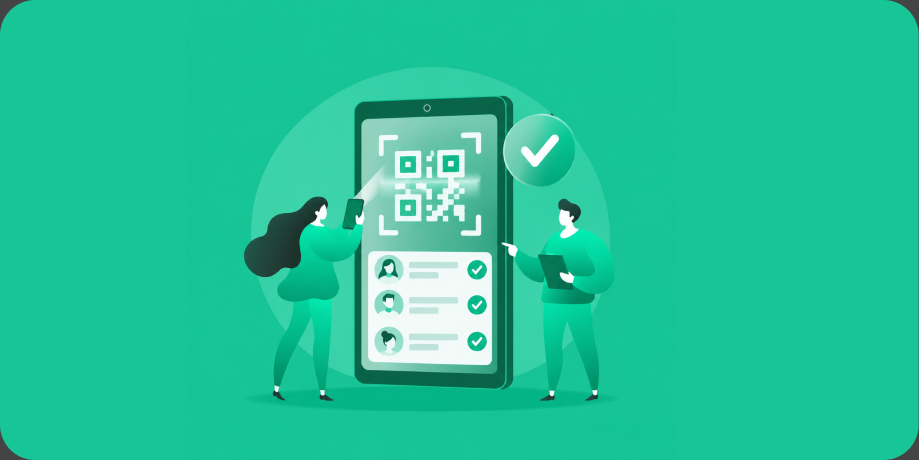
To build a QR code check-in or attendance app in 2026, you need five pieces working as one: QR generation and scanning that takes under three seconds, a leader-assisted path for people without phones in hand, live attendance dashboards, automated follow-ups like welcome and we-missed-you messages, and organization, leader, and member tiers with clean exports. Focused builds run $25,000 to $60,000. The behavior is already trained: Grand View Research values QR code payments alone at $12.54 billion in 2024, heading to $61.73 billion by 2033, so your members already know exactly what to do with a code on a door. What they are escaping is the paper sign-in sheet nobody can read and the follow-up nobody sends. Here is the full build guide.
Key Takeaways
- A QR code check-in or attendance app pairs fast scanning with automated follow-ups, turning raw attendance into welcome messages, we-missed-you outreach, and reports leaders actually use.
- Support two check-in modes minimum: self-scan for members with phones, and leader-assisted check-in for kids, guests, and anyone whose hands are full.
- Rotating (dynamic) QR codes prevent screenshot check-ins from the parking lot, and offline scanning keeps gyms, camps, and basements from breaking your data.
- A focused build costs $25,000 to $60,000 in 2026, with lean single-organization versions starting near $25,000 to $30,000 and multi-site platforms running $75,000 to $150,000.
- Three role tiers (organization admin, leader, member) cover almost every use case from volunteer programs to campuses to gyms.
What a QR Check-In or Attendance App Actually Is
A QR code check-in or attendance app is a focused system where members scan a code (or a leader scans for them) to record presence at a service, class, shift, event, or session, and the platform turns that record into dashboards, automated messages, and exports. It is the attendance engine, deliberately narrower than a full community-management platform with giving, content, and messaging built in.
That focus is its strength. The same engine serves volunteer programs, schools and campuses, youth organizations, gyms and studios, recurring events, and employee gatherings. If your organization needs to know who showed up, who is new, and who is drifting away, this is the product, whatever the gathering is called.
Core Features of a QR Attendance App
Six features carry the category, and speed is the law that governs all of them: any check-in slower than a pen loses to the pen.
- QR generation and scanning. Codes per location, event, or session, scannable from a poster, kiosk, or screen, with the whole interaction finished in under three seconds.
- Leader-assisted check-in. A roster view where a greeter or teacher checks in kids, guests, and members without the app, writing to the same records as self-scans.
- Attendance dashboards. Live counts during the event, trends across weeks, first-timer flags, and lapsed-member lists, readable at a glance.
- Automated follow-ups. A welcome message after a first visit, a we-missed-you note after configurable absences, and milestone recognitions, each triggered by attendance data and assigned to a human when a personal touch beats an automated one.
- Org, leader, and member tiers. Admins configure rules and see everything, leaders see their own groups and tasks, members see their own history and upcoming events.
- Exports and reporting. CSV for spreadsheets, PDF summaries for boards and grant reports, and application programming interface (API) access when attendance needs to feed another system.
Choosing Check-In Modes
Different gatherings need different scanning directions, and mature platforms mix them. Here is how the options compare.
| Check-in mode | How it works | Best for | Watch out for |
|---|---|---|---|
| Member scans room code | Poster or screen shows a code, member scans with their phone | Services, classes, large events | Use rotating codes so screenshots cannot check in remotely |
| Kiosk scans member code | Member shows a personal QR badge to a mounted tablet | Gyms, volunteer sites, workplaces | Hardware cost, needs an offline mode |
| Leader-assisted roster | Leader taps names or scans badges for the group | Kids programs, teams, guests | Must be as fast as paper or leaders revert |
| Geofenced auto check-in | App detects arrival at the venue | Staff and frequent members who opt in | Battery use, consent, and accuracy limits |
Edge Cases That Separate Good From Fragile
Attendance data is only useful if it is trusted, so engineer the failure modes early. Rotating dynamic codes that refresh every minute stop proxy check-ins from screenshots, and duplicate detection keeps double scans from inflating counts. Offline mode is mandatory: gyms, camps, fellowship halls, and school basements are connectivity dead zones, so scans must queue locally and sync without duplication. Minors need guardianship logic: guardian-linked check-in and pickup verification for kids programs, with stricter privacy defaults, and if your product is directed at children under 13, the Children’s Online Privacy Protection Act (COPPA) applies to the data you collect. Finally, attendance histories are sensitive personal patterns, so role-based access, audit trails, and retention windows are baseline features, not enterprise upsells.
The Tech Stack We Recommend
Our default build is React Native for the iOS and Android member and leader apps, a React web dashboard for administrators, a Node.js backend, and Google Cloud Platform or Amazon Web Services (AWS) with Firebase powering push notifications and real-time counts. Camera-based scanning needs no special hardware, kiosk mode runs on consumer tablets, and messaging integrations handle email and text follow-ups. Native Swift and Kotlin modules appear only where performance demands, and badge printing integrates where kids programs require physical tags. It is a deliberately boring stack, which is exactly what an organization wants underneath software that runs every single week.

Get Your Free 45-Minute App Roadmap
Meet 1-on-1 with our senior product team. We’ll map your MVP or enterprise app and hand you a personalized plan—clear scope, a realistic timeline, and fixed monthly costs—for iOS & Android, web, tablets & wearables, and AI.
Costs and Timelines for a Check-In App in 2026
Across 500+ launches since 2009, focused attendance products are among the most budget-friendly builds we see, because the core loop is tight. A lean single-organization version (QR plus leader-assisted check-in, dashboards, basic follow-ups, exports) starts near $25,000 to $30,000, with the focused tier running $25,000 to $60,000 over three to six months. Multi-site platforms with configurable automation engines, integrations into member databases, and white-label options run $75,000 to $150,000 across six to twelve months. Design engagements start at $5,000 per month, a clickable non-functional prototype (NFP) from about $10,000 aligns boards and committees before development, development engagements start at $7,500 per month, and maintenance runs from about $2,500 per month. AI and agent-assisted coding (Claude Code and Cursor, with senior engineers reviewing every change) has roughly halved 2020 to 2023 pricing for this category. Our costs and pricing guide covers the fixed monthly budget model that keeps scope honest.
Common Pitfalls in Attendance App Builds
- Losing to the pen. If scanning takes longer than a sign-in sheet, adoption dies in week two. Ruthlessly optimize seconds.
- Follow-ups nobody owns. A we-missed-you alert that lands in no one’s queue is a report, not a ministry or retention tool. Assign every alert.
- Static codes forever. Screenshot check-ins quietly corrupt data. Rotate codes for anything where presence matters.
- Skipping offline. One dead-zone event teaches leaders to keep a paper backup, and the paper wins from there.
- Exports as an afterthought. Boards, districts, and grant funders live on reports, so CSV and PDF outputs belong in version one.
Where Chop Dawg Fits
This category is active work for us: we are designing and building attendance and engagement products in 2026, anonymized here ahead of their launches, with QR check-in, automated follow-up flows, and tiered dashboards at their core. Our shipped work proves the pattern at scale. For Sauk Valley Community College, we built a platform where students log volunteer hours toward tuition, nonprofits post events and verify attendance, parents track milestones, and administrators generate PDF reports: it recorded 20,000+ volunteer hours after launch with a 99% satisfaction rating and 50+ local organizations participating. For Innovative Vending Solutions, QR codes unlock physical strollers and massage chairs across North American malls and airports, scanning at a scale of 150,000+ machines ready for digital control. And Digi-Go put QR checkout in shoppers’ hands with real-time dashboards behind it. Organizations that have trusted Chop Dawg include Rutgers University, the City of Philadelphia, and Big Brothers Big Sisters.
The team is US-headquartered and US-led: Americans own leadership, product and project management, senior development, senior design, senior quality assurance (QA), and marketing, supported by our in-house Brazilian design team and in-house development, QA, and project management teams in Pakistan and India. Every person is a Chop Dawg employee assigned directly to your build, fluent in English, working US hours, with daily Slack and your own 24/7 view into Figma, GitHub, and Jira. That model exists because this industry taught buyers two fears: the American salesperson fronting hidden offshore developers, and the faceless overseas shop with no US business norms and no time-zone overlap. We remove both, and you choose fully American for regulated work or the blended team most partners choose for the same quality at lower cost. Start with strategic planning or go straight to development services, with support services keeping it healthy after launch.
Frequently Asked Questions
How much does it cost to build a QR code check-in app?
A lean single-organization check-in app starts near $25,000 to $30,000 in 2026, with the focused tier running $25,000 to $60,000. Multi-site platforms with automation engines, integrations, and white-label options run $75,000 to $150,000. Maintenance starts around $2,500 per month.
How long does it take to launch an attendance app?
Three to six months covers a focused build, and six to twelve months covers multi-site platforms with integrations. Start Apple and Google logistics immediately: developer account approval takes two to three weeks and a DUNS number about a month, both registered in your organization’s own name.
How do you stop people from checking in without being there?
Rotate the QR code every 30 to 60 seconds so screenshots expire instantly, pair scans with duplicate detection, and offer optional location verification at scan time. For high-stakes attendance like paid shifts or credited volunteer hours, leader-assisted confirmation adds a human witness to the record.
Will QR check-in work without internet at the venue?
Yes, if you build offline-first. Scans queue on the device with a clear pending state, then sync automatically when connectivity returns, with deduplication rules preventing double counts. Kiosk tablets cache the roster locally, so basements, camps, and gyms keep working through dead zones.
Can an attendance app sync with our existing member database?
Yes. Most builds start with CSV import and export, then add API integrations to member management, school information, or human resources systems so records stay matched automatically. Owning custom software means the integration follows your data model rather than forcing a migration.
What automated follow-ups should an attendance app send?
Three earn their keep everywhere: a welcome message after a first visit, a we-missed-you note after a configurable absence streak, and milestone recognitions for attendance streaks or hour totals. The best systems also open a task for a leader when automation should hand off to a human.
Count Everyone In
A great QR code check-in or attendance app makes presence effortless to record and impossible to overlook, so first-timers get welcomed, regulars get missed loudly when they drift, and your reports write themselves. Whether you are a founder productizing attendance for an industry or an organization replacing the clipboard, book a free 45-minute consultation and we will map your features, budget, and timeline, useful to you whether or not we ever build together. Chop Dawg, founded in 2009 and now in our 18th year, has shipped 500+ products used by 1 billion+ people, keeps 92% of partners returning, and holds 300+ five-star reviews across trusted directories like Clutch, GoodFirms, G2, Google, and TopDevelopers. The attendance record is public: our success stories.




 16 Min