














 19 Min

The App Budget Reality When You Don’t Have Unlimited Funding
You have a great idea. You also have limited funding. Maybe $20K. Maybe $50K. Maybe you’re a nonprofit with $10K from a grant and hoping to stretch it as far as possible.
The good news: you can build a real, usable app with limited funding. You just can’t build everything at once.
At Chop Dawg, we’ve worked with hundreds of bootstrapped founders, nonprofits, and early-stage startups. We know the constraints. I’m going to walk you through how to plan your app development budget when funding is limited, make smart trade-offs, and build something real instead of something that never ships, a principle at the core of Lean Startup thinking.
TL;DR: Building Apps on a Limited Budget
- Simple MVP (single platform, 5-10 features): $12,000-$25,000
- Medium MVP (one platform, 15-20 features): $25,000-$75,000
- Prioritization is everything: Your first app should solve one problem well, not many problems poorly
- Phased approach: Build phase 1, launch, get feedback, build phase 2. Spreads cost and reduces risk.
- One platform first: iOS or Android, not both. Add the second platform after you’ve validated with real users.
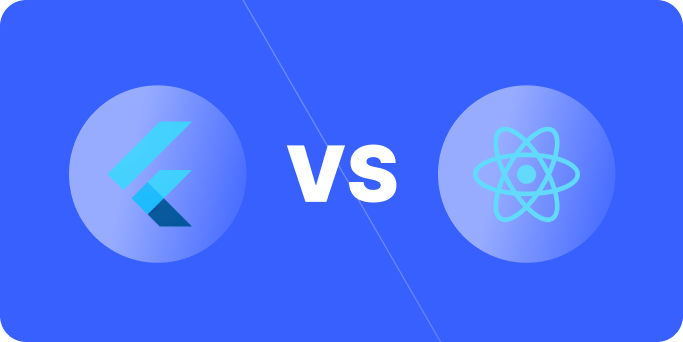
- Cross-platform frameworks: React Native or Flutter save 30-40% vs building separate native apps
- Nonprofits: Look for grants, donated dev time, or no-code platforms. Traditional app development budgets may not exist.
- What to cut first at any budget: Fancy design, mobile web version, desktop version, advanced analytics, internationalization
The MVP Approach: Build Less, Ship More
MVP stands for “minimum viable product.” It doesn’t mean half-baked or broken. It means: what’s the smallest version of your app that solves your core problem and gets real feedback from users?
Why MVP matters when you’re bootstrapped:
- You ship sooner. Your idea is proven or disproven in months, not years.
- You validate your assumptions. You’ll learn what users actually want vs. what you thought they wanted.
- You extend your runway. You’re not spending $100K on a full-featured product that might not work. You’re spending $20K-$50K on a focused MVP.
- You attract investors (if that’s your goal). Investors back teams with traction, not ideas. A working MVP with users beats a beautiful pitch deck with zero users.
How to Define Your MVP:
Start with: what is the one core problem your app solves?
If you’re building a fitness app, the core problem is “I want to track my workouts.” Your MVP is tracking workouts. Not nutrition, not social challenges, not AI coaching. Just workouts.
Now list every feature that solves that problem. You might list:
- Log a workout (time, type, intensity)
- View past workouts
- Basic workout stats
- Sync across devices
That’s 4 main features. Everything else is phase 2. Advanced features like social sharing, workout plans, AI recommendations, personalized coaching… they come later.
The Cost Math:
Small MVP: $12,000-$25,000
- 4-8 core features
- Single platform (iOS or Android)
- Basic design
- 2-4 months to build
- Minimal backend complexity
Medium MVP: $25,000-$75,000
- 10-20 features
- One platform
- Polished design
- Custom backend logic
- 3-6 months to build
Once users validate that your core idea works, you’ve got proof. That proof is worth more than adding 50 features that nobody asked for.
Prioritization: How to Decide What Goes In Phase 1
You’ve got a list of ideas. You’ve got a budget. Now what?
Use the MoSCoW method:
Must have: Features that solve your core problem. Nothing works without these.
- Fitness app example: logging a workout, viewing workout history
Should have: Features that make your app significantly better but aren’t required.
- Fitness app example: workout stats, search by date
Could have: Nice-to-have features that delight users but aren’t critical.
- Fitness app example: custom workout templates, export data
Won’t have: Features you’ll definitely build, but not in phase 1.
- Fitness app example: social features, coaching plans, AI recommendations
Your MVP includes the “must haves” and maybe one or two “should haves.” Everything else goes on the backlog.
This discipline is hard. You’ll be tempted to squeeze in one more feature. Don’t. The features you cut today become phase 2, phase 3, and future iterations. They’re not lost. They’re just sequenced based on what users actually need.
Single Platform First: iOS or Android, Not Both
Building for both iOS and Android feels safe. You’re covering both phones. But from a limited-budget perspective, it’s expensive.
iOS only development:
- Smaller codebase
- One app review process (just Apple)
- Smaller testing matrix
- Cost: ~$15,000-$50,000 for a simple-to-medium MVP
Android only development:
- Same advantages as iOS
- Larger global user base
- One app review process (just Google)
- Cost: ~$15,000-$50,000 for a simple-to-medium MVP
Both platforms (native):
- Two codebases (Swift + Kotlin)
- Two approval processes
- Double the testing
- Cost: ~$30,000-$100,000 for the same app
Both platforms (cross-platform framework):
- One codebase (React Native or Flutter)
- Two approval processes still, but one code to maintain
- Reduced testing matrix
- Cost: ~$20,000-$65,000 for the same app (30-40% savings)
Here’s the strategy: build iOS first if your users are mostly in North America or Western Europe. Build Android first if your users are in India, Brazil, or other emerging markets. Launch on one platform, get real users and feedback, then use that revenue to fund platform 2.
You lose some market day 1. You gain momentum, funding, and user feedback. That trade almost always works.
Phased Development: Spread Cost Over Time
You don’t have to build everything in one shot. In fact, you shouldn’t.
Phase 1 (Months 1-4): $20K-$40K
- Core features
- Single platform
- Basic design
- Launch to real users
Phase 2 (Months 5-8): $15K-$30K
- Second platform
- Features users actually requested
- UI polish based on user feedback
- Advanced analytics
Phase 3 (Months 9+): $10K-$25K per quarter
- New features based on user behavior
- Integrations
- Scaling as user count grows
Phased development has huge advantages:
- Risk reduction. If phase 1 flops, you’ve spent $20K, not $80K.
- User feedback. Real users tell you what to build next. No guessing.
- Funding opportunities. A working product with users is fundable. An idea isn’t.
- Team morale. Shipping something real every 3-4 months beats shipping after 12 months of development.
What to Cut First at Any Budget Level
When you need to reduce costs, here’s the priority order:
1. Fancy Design ($5K-$15K savings)
Your app doesn’t need to look like Apple designed it. It needs to be clear and usable. Use design templates, component libraries, or simpler design patterns. Real users care about function, not flair. Polish it in phase 2.
2. Desktop or Web Version ($10K-$25K savings)
Focus on mobile first. You can build a web version later if the data shows users need it. Most MVPs don’t need it.
3. Advanced Analytics ($2K-$5K savings)
Skip Amplitude or Mixpanel. Use Google Analytics (free) or Firebase (free). You don’t need heat maps or cohort analysis on day 1. You just need to know: are people using it?
4. Internalization / Multi-Language ($3K-$8K savings)
Launch in English first. If you get traction and want to expand to Japan or Brazil, then add translations.
5. Second Platform ($15K-$30K savings)
Launch on one platform. This is the biggest cost lever for limited budgets.
6. Advanced Features ($5K-$20K+ savings)
Everything that sounds cool but isn’t core to solving your problem. Social features, AI, machine learning, advanced personalization. Phase 2.
Cross-Platform Frameworks: The Budget Workaround
If you absolutely must launch on both iOS and Android quickly and cheaply, use a cross-platform framework.
React Native:
- One codebase runs on iOS and Android
- 30-40% cost savings vs two native teams
- Widely adopted (used by Microsoft, Shopify, Discord)
- Mature ecosystem
- Performance is good for most apps
- Cost: ~$25K-$60K for a medium MVP
Flutter:
- One codebase, two platforms
- Growing ecosystem
- Excellent performance
- Cost: ~$25K-$60K for a medium MVP
Trade-offs:
- Some platform-specific features are harder
- Performance isn’t quite as good as native (still fine for most use cases)
- Fewer developers available than native
- Updates to iOS or Android can require framework updates
For a bootstrapped founder, cross-platform frameworks are a major advantage. You get on both platforms without the cost of two teams.
Nonprofits and Grant-Funded Apps: Special Considerations
If you’re a nonprofit or building an app with grant funding, the rules shift.
Grant Opportunities:
- Tech Soup: Offers discounted software and services for nonprofits
- Mozilla Grants: Focuses on technology for public benefit
- Google Nonprofits: Free G Suite, ad grants, and discounted other services
- MacArthur Foundation: Funds tech for social good
- Knight Foundation: Tech for informed communities
- Local government IT grants: Many states have programs for civic tech
Donated Services:
A lot of startups and dev agencies will do discounted or pro bono work for nonprofits. It’s not free, but it’s not full price either. Ask.
No-Code Platforms:
For nonprofits with limited technical expertise and very small budgets, no-code might make sense:
- Bubble ($25-$200/month): Build full apps with visual development
- FlutterFlow ($25-$300/month): Visual app builder for mobile
- AppSheet ($75-$300/month): Low-code platform
You won’t have the flexibility of a custom app, but you’ll have something real for a fraction of the cost. And you can always build a custom app later once you validate the need.
Reality Check for Nonprofits:
If you’re a nonprofit with a $10K budget, you can’t build a full-featured custom app. You can either:
- Use a no-code platform for $2K-$5K and iterate
- Partner with a dev agency and ask for a discount (50-60% off typical rates)
- Seek grant funding to increase your budget to $30K-$50K
- Do a combination: spend $10K on an MVP using no-code, then raise $30K for a custom app later
The Money-Saving Mistake You’re About to Make
You’re tempted to hire freelancers or the cheapest agency you can find to save money.
Stop.
A really cheap dev who takes 6 months will cost you more than a good dev who takes 4 months, even if their hourly rate is higher. A freelancer who ghosted mid-project cost you money and momentum.
When you have limited funding, you can’t afford mistakes. Get references. Pick a partner (freelancer, agency, or developer) with a track record. Interview them. Make sure you trust them.
The cheapest option isn’t the deal. The option with the best results is.
Realistic Timeline for Limited Budgets
$15K budget:
- Simple MVP, single platform
- 2-3 months development
- 5-8 core features
- Basic design
$30K budget:
- Solid MVP, single platform
- 3-4 months development
- 10-15 features
- Polished design
$50K budget:
- Comprehensive MVP, single platform OR basic dual-platform
- 4-6 months development
- 15-25 features
- Polished design and UX
$75K budget:
- Full-featured MVP or dual-platform MVP
- 5-7 months development
- 25+ features
- Excellent design and UX
These timelines assume you have a clear scope and don’t change your mind mid-project. Scope creep is the enemy of limited budgets.
How to Extend Your Runway
Once you launch your MVP:
- Get users. Free or paid users. Someone paying $5/month is better than 100 free users you ignore.
- Learn from usage. What features do people actually use? What do they ask for? Build that next.
- Reinvest revenue. Every dollar of revenue goes to phase 2. You’re funding your own growth.
- Raise funding if possible. A working MVP with users is fundable. Pitch investors with data, not hope.
Most billion-dollar apps started with a simple MVP built on a tight budget. Instagram started as an MVP. Slack started as an MVP. Yours can too.
Get Your Free 45-Minute App Roadmap
Meet 1-on-1 with our senior product team. We’ll map your MVP or enterprise app and hand you a personalized plan—clear scope, a realistic timeline, and fixed monthly costs—for iOS & Android, web, tablets & wearables, and AI.
Your Specific Situation
Every budget situation is unique. You might have $10K. Or $50K. Or $200K but board members who demand you keep costs low.
The principle is the same: prioritize ruthlessly, ship early, learn from real users, and iterate based on what actually works.
If you want to talk through your specific situation and figure out what’s possible within your budget, we do exactly that at Chop Dawg. We’ve built apps at every budget level, and we’re good at finding the creative solutions that work. Schedule a free 45-minute consultation to walk through your idea, your constraints, and what’s actually feasible.
Frequently Asked Questions
Can I really build a working app for $20,000?
Yes, if you’re disciplined about scope. A simple MVP with 5-10 core features on a single platform (iOS or Android) runs $12,000-$25,000. You won’t get fancy design, both platforms, or advanced features. But you’ll get something real that solves your core problem. That’s the whole point of an MVP.
Should I try to build an app myself to save money?
Only if you’re a developer. If you’re not, the time and frustration cost more than hiring someone. You also won’t ship as fast. No-code platforms (Bubble, FlutterFlow) are a middle ground if you have a tiny budget, but they have limitations. For anything complex, hire someone who knows what they’re doing.
What’s the cheapest way to build for both iOS and Android?
Use a cross-platform framework like React Native or Flutter. You get one codebase that runs on both platforms, saving 30-40% compared to building separate native apps. The cost is about $25K-$60K for a medium MVP instead of $40K-$100K+ for two native platforms. The trade-off is slightly lower performance, but it’s fine for most apps.
How do I avoid scope creep when my budget is tight?
Write down the features you’re building. Only those features. Anything new goes on a backlog for phase 2. Have a change request process: if something new comes up, it either replaces something on the list or goes to phase 2. Scope creep kills limited-budget projects. Discipline saves them.
What if my budget is only $10,000?
You have three options: (1) Use a no-code platform like Bubble for $2K-$5K and iterate. (2) Get a discount from a dev agency and build a very stripped-down MVP. (3) Find grant funding or donated dev time from a nonprofit-focused partner. Custom app development under $10K is rare and usually means compromising on scope or quality.
Is hiring a freelancer cheaper than an agency?
Sometimes, but it’s risky. A good freelancer might be cheaper than an agency. A bad freelancer who ghosts mid-project or ships buggy code is expensive. When your budget is tight, you can’t afford problems. Get references, interview carefully, and choose based on track record, not just hourly rate.
How much of my budget should go to design?
Ideally 15-25% of your development budget. But when funding is limited, design is where you save. Use templates, design systems, or simpler design patterns. Your MVP doesn’t need award-winning design. It needs clear, usable design. Polish it in phase 2 when you have revenue or more funding.
Should I build for desktop or web as well as mobile?
No, not in phase 1. Focus on mobile first. Most usage happens on phones anyway. If user data shows people need a web version, build it in phase 2. You’re saving $10K-$25K by skipping it initially.


 20 Min