
 12 Min

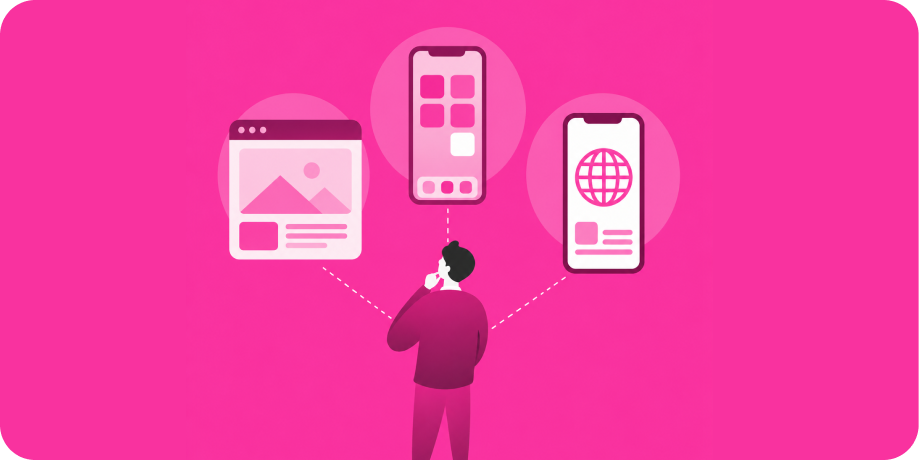
The web app versus mobile app versus progressive web app (PWA) choice comes down to reach, device features, and budget: a web app runs anywhere through a browser, a native mobile app delivers the best performance and full device access, and a PWA splits the difference with an installable, app-like web experience. Pick a mobile app when engagement and revenue matter most, since iOS alone drove about 70% of the $166.8 billion in app store consumer spending in 2025, per Business of Apps. Pick web or a PWA when broad reach and low friction come first. This guide weighs all three fairly, then shows where each fits.
Key Takeaways
- Web apps run in any browser with no install, giving the widest reach and easiest updates.
- Native mobile apps deliver the best performance, full device access, and the strongest monetization.
- A PWA is an installable web app that works offline and feels app-like, without an app store.
- Choose mobile for engagement and revenue, web for reach and simplicity, and a PWA for app-like reach on a leaner budget.
- Many products use more than one: a web app for desktop and a mobile app for on-the-go users.
Web Apps
A web app runs inside a browser on any device, with nothing to download. You build it once and reach desktop and mobile users alike, and updates go live instantly for everyone. Web apps are ideal for tools, dashboards, and content-heavy products where reach and ease of access matter more than deep device integration.
Pros:
- Runs on any device with a browser, for the widest possible reach.
- No install step, which lowers friction to first use.
- One codebase to maintain across desktop and mobile.
- Updates ship instantly, with no app store review.
- Easy to share and link directly to any page.
Cons:
- Limited access to device features like advanced camera or sensors.
- Generally lower performance than native for heavy workloads.
- No presence in the app stores, where many users discover apps.
- Push notifications and offline support are more limited.
- Harder to monetize through in-app store subscriptions.
Native Mobile Apps
A native mobile app is installed from the Apple App Store or Google Play Store and runs directly on the device. It offers the best performance, full access to hardware, and the strongest monetization and engagement, which is why revenue concentrates here. The tradeoff is higher cost, app store review, and the need to support both platforms, though React Native lets one codebase serve both.
Pros:
- Best performance and the smoothest user experience.
- Full access to device features: camera, GPS, sensors, and more.
- Reliable push notifications that drive engagement and retention.
- Strong offline functionality built in.
- App store presence and the strongest paths to monetization.
Cons:
- Higher cost and longer timeline than a web app.
- App store review and approval can slow releases.
- Users must download and update the app.
- You support two platforms, though React Native eases this with one codebase.
Progressive Web Apps (PWAs)
A progressive web app is a web app enhanced to behave like a native one. Users can install it to the home screen, it works offline through caching, and it supports push notifications on supported platforms, all without an app store. A PWA is a strong middle path when you want an app-like experience and broad reach on a leaner budget.
Pros:
- Installable to the home screen without an app store.
- Works offline and loads fast through smart caching.
- One codebase that reaches all devices via the browser.
- Lower cost than building separate native apps.
- Updates instantly, with no review gate.
Cons:
- Device feature access is narrower than native, though it keeps improving.
- Support for some capabilities varies, especially on iOS.
- Limited or no presence in the app stores for discovery.
- Performance trails native for the most demanding use cases.
- Push notification support is less consistent than native.
Web App vs Mobile App vs PWA: Side-by-Side
| Factor | Web App | Native Mobile App | PWA |
|---|---|---|---|
| Reach | Widest; any browser | App store users per platform | Wide; any browser, installable |
| Performance | Good for most tools | Best, fully native | Near-native for many cases |
| Device features | Limited | Full access | Partial, improving |
| Cost | Lowest | Highest | Moderate |
| Offline and push | Limited | Strong | Offline yes; push varies |
| Monetization | Direct billing only | Strongest, app store | Direct billing mostly |
| Best for | Reach, tools, content | Engagement, revenue, rich features | App-like reach on a budget |

Get Your Free 45-Minute App Roadmap
Meet 1-on-1 with our senior product team. We’ll map your MVP or enterprise app and hand you a personalized plan—clear scope, a realistic timeline, and fixed monthly costs—for iOS & Android, web, tablets & wearables, and AI.
When Each One Fits
Choose a native mobile app when engagement, performance, and revenue drive your business, or when you need full device access, like a fitness app using sensors or a marketplace with payments and notifications. Choose a web app when reach and simplicity matter most, such as a dashboard, internal tool, or content product that should open instantly on any device. Choose a PWA when you want an app-like, installable experience with offline support and broad reach, but you are not ready to invest in full native builds. Many successful products combine them, pairing a web app for desktop power users with a mobile app for on-the-go engagement.
Where Chop Dawg Fits
We help you choose the right platform mix, then build it, whether that is web, native mobile, a PWA, or a combination. We are Chop Dawg, a United States-headquartered and United States-led product partner building web and mobile products since 2009, with more than 500 launches and over 1 billion users reached. Our stack pairs React for the web with React Native plus native Swift and Kotlin for mobile, so we recommend the approach that fits your goals instead of pushing one tool for every job. American leadership and senior design, development, and QA work with you directly, backed by our in-house Brazilian design team and in-house development, QA, and project-management teams in Pakistan and India, so you can choose a fully American team or a cost-effective blend at the same quality and timeline. We work as a partner, not a faceless agency, with fixed-monthly budgets, transparent pricing, daily Slack, and weekly Zoom, and you own all of your code and intellectual property from day one.
Our record holds up to scrutiny, with 300+ five-star reviews across trusted directories like Clutch, GoodFirms, G2, Google, and TopDevelopers, plus a 92% partner retention rate and an Inc. 5000 listing, and you own all of your code and intellectual property outright. Organizations that have trusted Chop Dawg across web and mobile include Hilton and Six Flags, brands that meet their customers on every screen. Multi-platform work is our norm: PetKey already had a robust website but needed mobile, so we built native iOS and Android apps with React Native frontends tied to its existing database, and the platform added more than 250,000 pets and cut lost-pet recovery times by half in the first six months. On our fixed-monthly model, development starts from $7,500 per month and design from $5,000 per month, with a focused MVP from about $25,000 to $60,000 all in, and complex or enterprise builds $75,000 to $150,000 or more. The full numbers are in our app development costs and pricing guide. Explore our development services or learn why we build with React Native.
Frequently Asked Questions
What is the difference between a web app and a PWA?
A web app runs in a browser with no install. A progressive web app is a web app enhanced to act like a native one: users install it to the home screen, it works offline through caching, and it can send push notifications on supported platforms. A PWA gives a more app-like experience while keeping the reach of the web.
Is a mobile app worth the extra cost over a web app?
It is when engagement, performance, and revenue matter. Native mobile apps offer full device access, reliable push notifications, and the strongest monetization, which is why app store consumer spending is so high. If your product mainly needs reach and simple access, a web app or PWA can deliver most of the value for less.
Can a PWA replace a native mobile app?
For many use cases, yes, especially content, tools, and lighter commerce. A PWA struggles to fully replace native for demanding performance, deep hardware features, or app store-driven monetization, and some capabilities are limited on iOS. The right choice depends on which features and discovery channels your product truly relies on.
Which option has the widest reach?
Web apps and PWAs reach the most users because they run in any browser with no download, working across desktop and mobile from one codebase. Native mobile apps reach users through the app stores per platform. If maximum, frictionless reach is the priority, web or a PWA usually wins on that single dimension.
Do I have to choose only one?
No. Many strong products combine approaches, such as a web app for desktop power users and a native mobile app for on-the-go engagement, often sharing logic across them. The best mix depends on your audience, budget, and goals, which is exactly what a good partner helps you map before any code is written.
Not Sure Which Platform Is Right? Let’s Figure It Out.
Web, mobile, PWA, or a combination, we will help you choose the approach that fits your users and budget. Book a free 45-minute consultation with our team, and we will map the right platform strategy for your product, with no pressure. See how we work in our proven process and browse our success stories.



 21 Min