14 Min

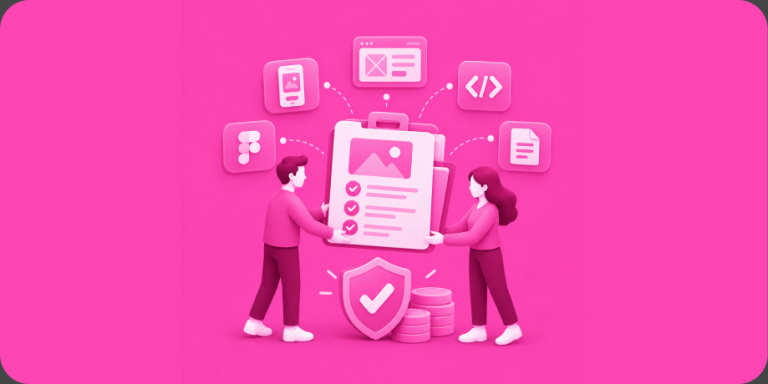
Design handoff documentation is the packet your design team hands your developers: annotated screens cross-referenced against application programming interface (API) endpoints, defined empty, error, and loading states, a reusable component library, and complete product flows. It is the least glamorous artifact in product development and the single best predictor of a build that stays on budget. The risk it guards against is enormous: McKinsey & Company research with the University of Oxford, spanning more than 5,400 projects, found large IT projects run 45 percent over budget on average while delivering 56 percent less value than predicted. Most of that pain traces back to ambiguity someone could have written down. Here is what complete documentation looks like and why it pays for itself many times over.
Key Takeaways
- A complete design handoff includes annotated screens tied to API endpoints, defined empty, error, and loading states, a reusable component library, and end-to-end product flows.
- As an industry rule of thumb, ambiguity resolved in design costs a fraction of what the same ambiguity costs when discovered mid-development.
- Every screen has at least three versions users will actually see: empty, loading, and error. Undefined states become change orders.
- A component library keeps 50 screens consistent and keeps rework local instead of global.
- The test of a good handoff: a developer who has never met the designer could build the product from the documentation alone.
What Design Handoff Documentation Includes
A real handoff is four artifacts working together: annotated screens, state definitions, a component library, and product flows. Pretty mockups alone are not a handoff. They are a promise that someone will answer hundreds of questions later, one interruption at a time, on development’s clock.
Here is what each artifact contains and, more importantly, the specific budget blowup it prevents:
| Artifact | What it contains | The blowup it prevents |
|---|---|---|
| Annotated screens | Measurements, behaviors, interaction notes, and cross-references to the exact API endpoints feeding each element | Developers guessing where data comes from and rebuilding screens when the guess is wrong |
| Empty, error, and loading states | Designed versions of every screen with no data yet, a failed request, and a slow connection | Mid-sprint stoppages when “what shows here?” has no answer, each one becoming a change order |
| Component library | Buttons, inputs, cards, typography, spacing, and color tokens reused across every screen | Fifty slightly different buttons, inconsistent behavior, and rework that ripples across the whole app |
| Product flows | Every path from entry to goal, including logged-out, expired, denied, and edge paths | Dead ends discovered during quality assurance (QA) week, when fixing them is most expensive |
Why Skipping Documentation Blows Up Budgets
Budgets explode mid-development for one dominant reason: developers discover questions the design never answered, and every discovery stops work, triggers redesign, and ripples through connected screens. Multiply a few hours of stalled engineering by hundreds of undocumented decisions and you have the overrun everyone blames on “scope creep.”
Across 500+ launches since 2009, the pattern we see is blunt: projects are almost never sunk by hard engineering problems. They are sunk by ambiguity. A designer’s mockup shows a feed full of perfect content. Development reality asks: what renders for a brand-new user with no content? What happens when the request times out? What does the screen do while it waits? If those answers exist in the documentation, each is an hour of routine work. If they do not, each becomes a meeting, a design revision, a code revision, and a retest, at exactly the phase of the project where every participant is most expensive and the calendar matters most.
There is a compounding effect too. Undocumented decisions get made ad hoc by whoever hits them first, so the same problem gets solved three different ways in three parts of the app. Then consistency itself becomes a bug to fix. Documentation is not bureaucracy. It is the cheapest place your product decisions will ever get made.
The Stranger Test: What a Complete Handoff Looks Like
The standard worth holding is simple: a competent developer who has never met your designer should be able to build the product from the handoff package alone. If any screen requires tribal knowledge or a Slack thread to interpret, the documentation is not done.
A few practical markers of a package that passes:
- Endpoint cross-references: each dynamic element on each screen names the API endpoint and fields that feed it, so backend and frontend engineers build to the same contract.
- State coverage: empty, loading, error, and success states exist for every screen that fetches data, plus permission-denied and offline behavior where relevant.
- A living component library: one source of truth in the design file that maps to one component in code, so a change is made once and inherited everywhere.
- Flow maps with edges: not just the happy path, but expired sessions, failed payments, and first-run experiences.
- A clickable non-functional prototype (NFP): a tap-through model of the product that lets stakeholders, and future developers, feel the flows before a line of code exists.
Documentation like this has a second life, too. It becomes your onboarding manual for every future developer, your reference for investor demos, and the baseline for version two.

Get Your Free 45-Minute App Roadmap
Meet 1-on-1 with our senior product team. We’ll map your MVP or enterprise app and hand you a personalized plan—clear scope, a realistic timeline, and fixed monthly costs—for iOS & Android, web, tablets & wearables, and AI.
How Chop Dawg Packages a Handoff
We are a design-first shop for exactly the reasons above: thorough planning before coding is the cheapest insurance in this industry. Our design engagements start from $5,000 per month, and a clickable non-functional prototype typically starts around $10,000, running $20,000 to $25,000 for the largest design programs. That package, annotated screens tied to endpoints, full state coverage, the component library, product flows, and the prototype, is what our own development team (engagements from $7,500 per month) builds from, and it is why our proposals can promise on time and on budget with a straight face. With AI and agent-assisted coding (Claude Code and Cursor, with our engineers reviewing every change), that documentation goes even further, roughly halving the costs and timelines that were typical from 2020 to 2023.
Partners feel the difference. The Obras team, whose workforce-scheduling platform we designed and prototyped, said it directly: “The quality of work delivered by Chop Dawg exceeded our expectations. Their meticulous design process highlighted the importance of thorough planning before coding…” (Joshua Alves, Co-Founder of Obras). For Autarky, a cryptocurrency wallet, we delivered a complete handoff package of wireframes, high-fidelity screens in light and dark modes, product flows, and a clickable prototype; founder Jordan Habben’s takeaway was that we “maintained clear communication, met all deadlines, never ran over budget, and ensured there were no surprises along the way.” And AOK File Away shows the same discipline applied to a document-sharing platform, where the design engagement produced a buildable blueprint its founder could take to market. Behind all of it is one team: US-headquartered and US-led, with American leadership, product management, and senior design, development, and QA, supported by our in-house Brazilian design team and in-house engineering, QA, and project management teams in Pakistan and India. Everyone is in-house Chop Dawg on US hours, no subcontractors, which is how we avoid the two horror stories founders trade: the American front man hiding an offshore bench, and the overseas shop that goes quiet for days. Explore how the design phase feeds development in our design services and our proven process.
Frequently Asked Questions
What should design handoff documentation include?
Four things: annotated screens with measurements and API endpoint cross-references, designed empty, loading, and error states for every data-driven screen, a reusable component library with typography and spacing tokens, and product flow maps covering happy paths and edge paths. A clickable prototype tying it together is the ideal fifth piece.
How much does the design phase cost before development starts?
Professional product design typically runs $5,000 or more per month, and a complete clickable non-functional prototype with documentation generally starts around $10,000, reaching $20,000 to $25,000 for the largest programs. That is a small fraction of a $25,000 to $60,000 minimum viable product (MVP) build, let alone a $75,000 to $150,000+ complex platform.
Does detailed documentation slow a project down?
It front-loads a few weeks and saves months. Decisions made in design cost a fraction of decisions made mid-development, where every open question stalls engineers, triggers rework, and ripples across connected screens. Teams that skip documentation do not skip the decisions. They just make them at the most expensive possible moment.
Can developers build straight from Figma files without documentation?
They can start, but Figma screens alone show the happy path with perfect data. Developers still need to know what feeds each element, what renders when data is missing or a request fails, and which components repeat. Without written answers, they guess, and wrong guesses become rework and change orders.
What are empty, error, and loading states and why do they matter?
They are the versions of each screen users see before content exists, while data loads, and when something fails. Users meet these states constantly (first run, dead zones, server hiccups), yet mockups rarely show them. Defining all three per screen during design removes the most common source of mid-build surprises.
How do I evaluate an agency’s handoff quality before hiring them?
Ask to see a sanitized handoff package from a past project. Look for endpoint references on screens, designed empty and error states, a component library, and flow maps with edge cases. Then ask how design decisions get documented and versioned during the project. Vague answers now predict change orders later.
The Boring Artifact That Saves the Exciting Project
Handoff documentation is the difference between a build that compounds and a build that unravels, and it is far cheaper than the blowup it prevents. If you are a founder planning a first build or an established company tired of change-order surprises, bring your idea to a free 45-minute consultation, offered whether or not you work with us, and we will show you what a complete blueprint for your product looks like. Chop Dawg has been the partner behind 500+ launched products since 2009, software used by more than 1 billion people. Now in our 18th year, we hold a 92% partner retention rate and 300+ five-star reviews across trusted directories like Clutch, GoodFirms, G2, Google, and TopDevelopers.



 14 Min